


The best AI tools for productivity in 2026 can make everyday work a lot easier. Whether you’re researching a topic, writing an article, organizing notes, creating presentations, or handling repetitive tasks, the right AI tool can save time and help you focus on the work that actually matters.
A few years ago, most people used AI mainly for experimenting with chatbots or generating a quick piece of text. Today, AI can help with research, writing, meetings, presentations, design, project management, translation, automation, and even video editing.
That sounds great—until you start looking for the right tool.
There are now so many AI productivity tools that choosing one can feel like a job in itself. Some are genuinely useful. Others are impressive for five minutes and then end up forgotten in your browser tabs.
So, which AI tools are actually worth your time?
We’ve put together 15 options that can make different parts of your workflow easier. You don’t need all of them. In fact, most people probably shouldn’t use all of them. The goal is to find the few that solve problems you actually have.
Quick Comparison: 15 Best AI Productivity Tools
| AI Tool | Best For | What It Helps With |
|---|---|---|
| ChatGPT | General AI assistance | Writing, brainstorming, analysis, planning |
| Perplexity | Research | Search, research, source discovery |
| NotebookLM | Documents & research | Understanding your own sources |
| Grammarly | Writing | Editing, grammar, tone |
| Canva AI | Design | Graphics, presentations, visual content |
| Gamma | Presentations | Creating slide decks |
| Napkin AI | Visual explanations | Diagrams and visual content |
| Notion AI | Organization | Notes, documents, knowledge management |
| ClickUp AI | Project management | Tasks and team workflows |
| Otter.ai | Meetings | Transcription and notes |
| Zapier | Automation | Connecting apps and automating tasks |
| QuillBot | Rewriting | Paraphrasing and editing |
| DeepL | Translation | Multilingual writing |
| Descript | Video & audio | Editing and content creation |
| Microsoft Copilot | Microsoft 365 | Office and workplace tasks |
What Are AI Productivity Tools?
AI productivity tools are applications that use artificial intelligence to help you complete tasks more efficiently.
That could mean something as simple as rewriting an email or as complex as automating an entire workflow between several applications.
Depending on the tool, AI can help you:
- Research a topic
- Summarize long documents
- Write and edit content
- Organize information
- Create presentations
- Design graphics
- Take meeting notes
- Manage projects
- Translate text
- Edit videos
- Automate repetitive tasks
The important thing is that AI productivity doesn’t mean letting AI do everything for you.
The most useful approach is usually to let AI handle the repetitive or time-consuming parts while you remain responsible for decisions, accuracy, and the final result.
1. ChatGPT — The Best All-Around AI Assistant
If you only want to learn one AI productivity tool, ChatGPT is a reasonable place to start.
Its biggest advantage isn’t one specific feature. It’s versatility.
You can use the same tool to brainstorm an article in the morning, summarize a document later, explain a difficult concept in the afternoon, and help organize tomorrow’s tasks in the evening.
For example, suppose you’re starting a new project and have no idea how to organize it. Instead of asking AI to “do the project,” you can give it the goal, deadline, and constraints and ask it to break the work into smaller steps.
That’s where ChatGPT becomes genuinely useful.
It reduces the friction of getting started.
What you can use it for
- Brainstorming
- Writing and editing
- Research assistance
- Planning
- Learning
- Coding
- Content creation
- Summarizing information
One caution: ChatGPT can sometimes produce information that sounds convincing but isn’t accurate. For important facts, always verify the answer rather than assuming the AI is correct.
Our take: If you want a flexible AI assistant that can fit into almost any workflow, start here.
If you’re curious about how ChatGPT compares with other leading AI assistants, check out our guide to ChatGPT vs Claude vs Gemini.
2. Perplexity — A Strong Choice for Research
Traditional search works well when you know exactly what you’re looking for.
Research is different.
You might start with one question, discover three unfamiliar terms, search each of them, find conflicting information, and then realize you need to start over.
Perplexity is useful in that situation because it lets you explore a topic conversationally while also helping surface sources.
For example, if you’re researching AI writing software for an article, you could start broad and then ask follow-up questions about pricing, features, alternatives, or specific use cases.
That can make the early stages of research considerably faster.
Where Perplexity fits best
- Topic research
- Finding sources
- Exploring unfamiliar subjects
- Researching products and technologies
- Getting a quick overview of a complicated topic
It’s not a replacement for checking original sources, especially when you’re publishing factual content. Think of it as a research accelerator, not the final authority.
Our take: Excellent when your first question is, “Where should I start researching this?”
For a deeper look at AI tools for academic research, see our guide to the best LLMs for research papers.
3. NotebookLM — Great for Working With Your Own Sources
Here’s a situation many students and professionals know well: you have too much information and not enough time.
Maybe it’s a collection of PDFs, research papers, lecture notes, reports, or other reference materials.
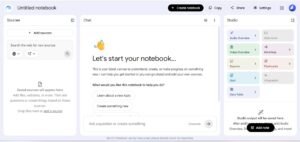
NotebookLM is designed for this kind of work. You can provide sources and then ask questions about the material rather than starting every conversation from scratch.
Google’s documentation says NotebookLM can work with sources including PDFs, websites, Google Docs, Google Slides, YouTube URLs, and audio files. It can also provide citations linking responses back to the supplied sources.
That source-based approach is what makes NotebookLM particularly interesting for research and study.
Imagine you have several papers for a university assignment. Instead of repeatedly searching through every document for a specific point, you can ask questions across the material and then check the cited sources yourself.
It doesn’t replace actually understanding the material. It makes the first pass much easier.
Best suited to: Students, researchers, professionals, and anyone who regularly works with large collections of documents.
Students can also explore our guide to the best AI tools for students for more useful tools for studying, research, and everyday schoolwork.
4. Grammarly — Your Second Pair of Eyes for Writing
Not every writing problem requires an AI to write something from scratch.
Sometimes you’ve already written the email or article. You just want to know whether it sounds clear.
That’s where Grammarly can be useful.
It can help identify grammar problems, awkward wording, and issues with clarity or tone. For people who write professionally in English but aren’t completely comfortable with the language, that extra layer of assistance can be especially valuable.
There’s also a useful productivity lesson here: AI doesn’t always have to be the writer.
Using AI as an editor can often produce better results because the original ideas and voice remain yours.
Good fit for: Emails, blog posts, professional communication, editing, and everyday writing.
5. Canva AI — For People Who Need Design Without Becoming Designers
A lot of online work eventually turns into a design task.
You write an article and need a featured image. You publish a social post and need a graphic. You make a presentation and suddenly you’re worrying about fonts, spacing, and layouts.
Canva has made those tasks easier for people who don’t have a background in professional graphic design, and its AI features can speed up the creative process further.
You can use Canva to create social graphics, presentations, marketing materials, thumbnails, and other visual assets.
The real time-saver is that you don’t always have to start with an empty canvas.
You can generate or adapt a starting point and then spend your time making it fit your brand.
Good fit for: Bloggers, creators, marketers, small businesses, and anyone who regularly needs visual content.
6. Gamma — When You Don’t Want to Start a Presentation From Scratch
There are two kinds of people when it comes to presentations.
Those who enjoy making slides—and those who stare at an empty PowerPoint presentation wondering what slide one should contain.
Gamma is aimed squarely at the second group.
It can help turn an idea or written prompt into a presentation-style structure, giving you something to work with instead of a blank screen.
That’s the important distinction: AI gives you the starting point; you still need to make the presentation yours.
You’ll want to check the information, adjust the wording, replace generic visuals, and make sure the final deck actually fits your audience.
But getting 60% of the way there quickly can be much better than spending an hour deciding where to begin.
Good fit for: Students, marketers, teachers, professionals, and anyone who creates presentations regularly.
7. Napkin AI — Turning Written Ideas Into Visual Explanations
Some concepts are difficult to explain with paragraphs alone.
A workflow, business process, comparison, or complex idea can become much easier to understand when it’s shown visually.
Napkin AI focuses on this exact problem.
You can start with written information and turn it into visual representations such as diagrams and other structured graphics.
For content creators, this can be particularly useful. A well-designed visual can sometimes replace a long explanation and make an article more engaging at the same time.
Good fit for: Bloggers, educators, marketers, consultants, and people who frequently explain processes or ideas.
8. Notion AI — Keep Your Notes and AI in the Same Place
Notion is already widely used for notes, documents, project planning, databases, and knowledge management.
Adding AI to that environment makes it possible to work with your information without constantly moving between different applications.
You might use it to summarize notes, brainstorm ideas, organize information, draft content, or manage projects.
But there’s another benefit that doesn’t get talked about as much.
Reducing app switching is itself a productivity improvement.
If your notes are in one place, tasks in another, documents somewhere else, and AI conversations in another tab, simply finding information can become tiring.
Notion’s appeal is that it can bring more of that workflow together.
Good fit for: Students, freelancers, content teams, startups, and anyone who likes keeping their work organized in one workspace.
9. ClickUp AI — Useful for Busy Project Workflows
Project management can quickly become messy.
There are tasks, deadlines, comments, documents, priorities, meetings, and dozens of small updates that need to be tracked.
ClickUp is built around bringing much of that work into one project-management environment, with AI features layered into the workflow.
For a freelancer managing several clients or a team handling multiple projects, that can be more useful than having an AI chatbot sitting completely outside the project.
The biggest advantage is context.
When AI assistance exists closer to your tasks and documents, it can become part of the workflow rather than another place you have to copy information into.
Good fit for: Agencies, teams, freelancers, project managers, and businesses.
10. Otter.ai — Spend Less Time Taking Meeting Notes
Have you ever been in a meeting where you were trying so hard to take notes that you barely listened to what people were saying?
That’s the problem AI transcription tools are trying to solve.
Otter.ai can transcribe conversations and help turn meetings, interviews, lectures, and discussions into usable notes.
That doesn’t mean you should blindly trust the transcript. Names, accents, technical terms, and overlapping speakers can occasionally cause errors.
But even an imperfect transcript can be much more useful than trying to remember everything after a one-hour meeting.
Good fit for: Professionals, students, journalists, researchers, interviewers, and teams.
11. Zapier — The Productivity Tool That Can Remove Work Entirely
Most AI discussions focus on generating things faster.
Automation takes a different approach.
Instead of asking, “How can I do this task faster?” ask:
“Do I need to do this task at all?”
Zapier connects different apps and allows users to automate repetitive workflows.
For example, if information arrives through one service and you always need to create a task somewhere else, an automation can potentially handle that transfer for you.
The possibilities depend on the apps and workflow you’re using, but the principle is simple: let software handle predictable steps.
For people running businesses or managing repetitive digital processes, automation can have a bigger productivity impact than generating another piece of AI-written text.
Good fit for: Businesses, marketers, freelancers, operations teams, and anyone tired of repetitive digital tasks.
12. QuillBot — Handy When Your First Draft Isn’t Quite Right
Sometimes the problem isn’t coming up with an idea.
You already have the idea. You just don’t like the way you’ve written it.
QuillBot can help with paraphrasing, rewriting, summarizing, and related writing tasks.
It’s particularly useful when you’re looking for alternative ways to express something rather than asking AI to create an entire article from nothing.
A good workflow is to generate a few alternatives, then choose and edit the version that sounds most like you.
That final editing step matters. If you publish every AI-generated rewrite without reviewing it, your writing can quickly start sounding generic.
Good fit for: Students, writers, bloggers, and professionals who frequently edit existing text.
13. DeepL — Useful When Language Gets in the Way
Working across languages can slow down even simple tasks.
A short email can become a 20-minute project when you need to translate it, check the grammar, and make sure the tone feels natural.
DeepL can help speed up translation and multilingual writing.
It’s useful for international communication, language learning, business, and content localization.
As with any automated translation, important professional or legal content deserves human review. But for everyday communication, AI-assisted translation can remove a lot of unnecessary friction.
Good fit for: International teams, students, businesses, travelers, and multilingual content creators.
14. Descript — A Different Way to Edit Video and Audio
Traditional video editing can take time to learn.
Descript approaches editing from a different angle: text.
When your recording is transcribed, you can work with the transcript and use that text-based workflow to make certain edits to the underlying audio or video.
That’s particularly convenient for interviews, podcasts, tutorials, screen recordings, and other content where spoken words are central.
For creators who aren’t interested in becoming professional video editors, that simpler workflow can be appealing.
Good fit for: YouTubers, podcasters, educators, marketers, and social media creators.
15. Microsoft Copilot — Best If Your Work Already Runs on Microsoft 365
If you spend most of your working day inside Word, Excel, PowerPoint, Outlook, Teams, or OneNote, using AI within that environment can make more sense than constantly moving information into another application.
Microsoft Copilot can provide AI assistance across Microsoft 365 applications, with capabilities varying by the specific app and subscription. These can include working with documents, presentations, email, meetings, and other workplace tasks.
The biggest advantage here is integration.
If you’re already using Microsoft 365 every day, an AI assistant that works alongside those tools can fit into your existing workflow instead of forcing you to build a completely new one.
Good fit for: Microsoft 365 users, office workers, teams, and businesses.
Which AI Productivity Tool Is Right for You?
The answer depends on where you’re losing time.
If you spend most of your day researching, start with Perplexity or NotebookLM.
If you’re constantly writing emails, articles, or documents, ChatGPT and Grammarly are worth exploring.
If visual content slows you down, try Canva AI or Napkin AI.
If presentations are the problem, Gamma can give you a faster starting point.
If your notes and projects are disorganized, Notion AI or ClickUp AI may be a better investment of your time.
And if you’re doing the same digital task over and over again, don’t look for another chatbot first.
Look at Zapier.
Automation may be the better solution.
You Don’t Need 15 AI Tools
This might be the most important advice in the entire article.
You don’t need to use every tool on this list.
In fact, having 15 different AI subscriptions, browser tabs, accounts, and workflows can make you less productive.
Start with one problem.
Maybe you spend too long researching.
Try Perplexity.
Maybe you have dozens of PDFs to understand.
Try NotebookLM.
Maybe you’re constantly rewriting emails.
Try ChatGPT or Grammarly.
Maybe you spend hours creating social media graphics.
Try Canva.
Once you find something that genuinely saves you time, build it into your regular workflow.
Then—and only then—look for the next bottleneck.
A Simple AI Productivity Workflow
Here’s an example of how a content creator might use AI without turning their workflow into a complicated mess:
Research → Perplexity
Find the basic information and useful sources.
Organize → NotebookLM
Work through source material and identify important points.
Draft → ChatGPT
Turn your notes into a first draft.
Edit → Grammarly
Clean up grammar, clarity, and tone.
Create visuals → Canva or Napkin AI
Turn the article into useful visual content.
Promote → Canva
Create social media graphics and promotional posts.
The exact tools don’t matter as much as the workflow.
The goal is to remove unnecessary friction between one step and the next.
How to Get Better Results From AI Productivity Tools
The tool itself isn’t everything.
The way you use it matters just as much.
Instead of writing:
“Write an article about AI.”
Give the AI context.
Tell it:
- Who the audience is
- What you’re trying to accomplish
- What information you already have
- What tone you want
- What format you need
- What limitations it should follow
The more useful context you provide, the less time you’ll usually spend fixing the output afterward.
And don’t forget the most important step:
Review the result.
AI can save time, but blindly accepting AI output can create new problems.
Are AI Productivity Tools Worth Using in 2026?
For many people, yes.
But the value isn’t in having the newest AI tool.
It’s in removing unnecessary work.
If an AI tool helps you complete a task in 10 minutes instead of 30, that’s a meaningful improvement.
If it takes you 20 minutes to learn a tool that saves you two minutes once a month, it’s probably not worth your attention.
That’s why productivity should always come before novelty.
Don’t ask:
“Which AI tool is everyone talking about?”
Ask:
“Which part of my workflow is wasting my time?”
Then find the tool that solves that problem.
Final Verdict: The Best AI Productivity Tools in 2026
There is no single winner.
ChatGPT is one of the best choices for general-purpose AI assistance.
Perplexity is a strong option for research and exploration.
NotebookLM stands out when you’re working with your own source material.
Grammarly is useful when your biggest challenge is polishing written communication.
Canva AI and Napkin AI can make visual content easier.
Gamma can speed up presentations.
Notion AI and ClickUp AI are useful for keeping work organized.
Otter.ai can take some of the pressure out of meetings.
Zapier is worth considering when automation can eliminate repetitive work.
And if your organization already relies heavily on Microsoft 365, Microsoft Copilot may fit more naturally into your existing workflow.
The best AI productivity stack isn’t the biggest one.
It’s the one that quietly saves you time without making your work more complicated.
Start with one tool. Solve one problem. Build from there.
That’s a much more sustainable way to use AI in 2026.
Frequently Asked Questions
What is the best AI productivity tool in 2026?
There isn’t one tool that’s best for everyone. ChatGPT is a strong general-purpose option, while Perplexity, NotebookLM, Canva AI, Zapier, and Microsoft Copilot are better suited to particular tasks.
What are the best AI tools for productivity?
Some of the most useful options include ChatGPT, Perplexity, NotebookLM, Grammarly, Canva AI, Gamma, Notion AI, ClickUp AI, Otter.ai, Zapier, and Microsoft Copilot.
What is the best free AI productivity tool?
Free availability and usage limits change frequently. ChatGPT, Perplexity, NotebookLM, and Canva all provide ways to get started without necessarily paying for a premium subscription, although available features can vary.
Which AI productivity tool is best for students?
NotebookLM is particularly useful for working with study materials and source documents. ChatGPT can help with explanations and brainstorming, while Grammarly and Canva can assist with writing and presentations.
Can AI tools really improve productivity?
Yes, when they’re used for the right tasks. AI is particularly useful for repetitive work, first drafts, summarization, research assistance, organization, and automation.
Should I use multiple AI tools?
You can, but you don’t need to. Start with one or two tools that solve actual problems in your workflow. Add more only when they provide a clear benefit.
Are AI-generated results always accurate?
No. AI systems can make mistakes or provide outdated or incorrect information. Important claims should be checked against reliable sources before you rely on or publish them.
Conclusion
The best AI tools for productivity in 2026 aren’t necessarily the tools with the longest feature lists.
They’re the tools that make your everyday work a little easier.
Whether you’re researching for a university assignment, writing articles, managing clients, creating social media content, preparing presentations, or running a business, there’s probably an AI tool that can remove at least one repetitive step from your workflow.
You don’t have to transform your entire workday overnight.
Start with one frustrating task.
Find one AI tool that can help.
Use it consistently.
And once you’ve genuinely saved time, move on to the next problem.
Work smarter, not just faster.
About The Author