

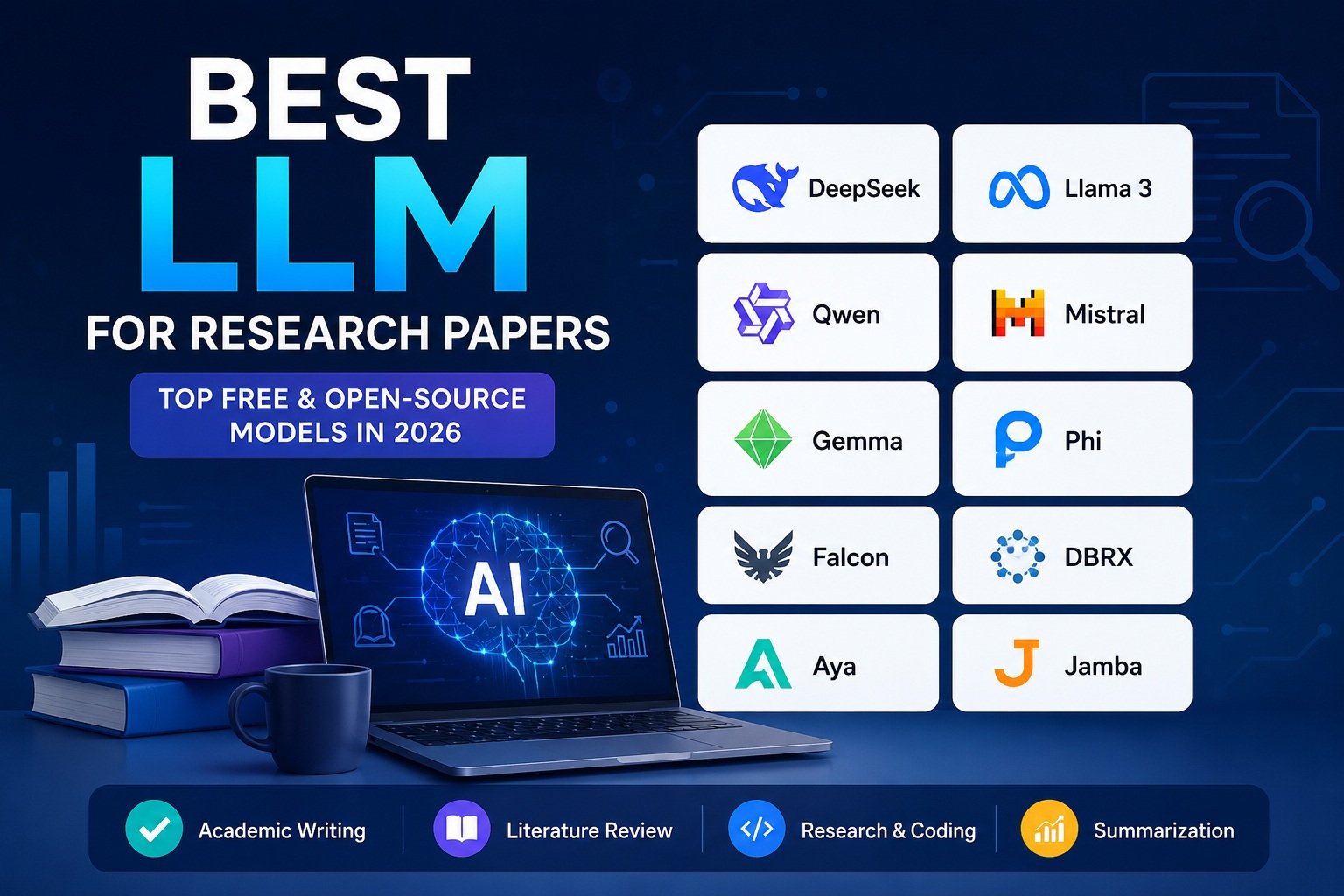
Finding the best LLM for research papers can make literature reviews, paper analysis, academic writing, coding, and long-document research much easier. But not every AI model is equally useful for academic work.
Some LLMs are better at technical reasoning and mathematics, while others are stronger at long-document analysis, multilingual research, coding, multimodal tasks, or local deployment.
Whether you’re writing a university assignment, preparing a literature review, or working on a PhD thesis, the right LLM can help you summarize research, organize ideas, compare studies, explain difficult concepts, and improve your workflow.
However, LLMs should be treated as research assistants, not academic sources. AI models can generate incorrect facts, unsupported claims, or inaccurate citations. Always verify important information against the original research paper and trusted academic databases such as Google Scholar or Crossref.
In this guide, we’ll compare some of the best LLMs for research papers in 2026, focusing on reasoning, writing quality, context length, coding, multimodal capabilities, multilingual support, local deployment, and practical research use cases.
If you’re working on a full academic thesis rather than a single research paper, you may also want to explore our guide to the Best LLM for Thesis Writing, where we cover AI tools for thesis planning, literature reviews, chapter drafting, editing, and academic research workflows.
Quick Answer: What Is the Best LLM for Research Papers?
For most research workflows, Qwen is a strong all-around choice, while DeepSeek V4 is particularly useful for technical and STEM research, coding, and large-context analysis.
Mistral Small 4 is a strong option for long research documents and technical workflows. At the same time, Gemma 4 is attractive for students and researchers who want an efficient open model with local and multimodal capabilities.
The best choice ultimately depends on your research field, document length, hardware, privacy requirements, and the type of assistance you need.
Quick Picks: Best LLMs for Research Papers
| Research Need | Recommended LLM |
|---|---|
| 🏆 Best Overall Research | Qwen |
| 🔬 Technical & STEM Research | DeepSeek V4 |
| 📚 Literature Reviews | Qwen |
| ✍️ Academic Writing | Llama |
| 💻 Research Coding | DeepSeek V4 / Qwen |
| 🌍 Multilingual Research | Qwen / Aya |
| 🖼️ Multimodal Research | Kimi / Gemma 4 |
| 📄 Long Research Documents | DeepSeek V4 / Mistral Small 4 |
| 💻 Lightweight Local AI | Gemma 4 / Phi |
| 🔒 Local & Privacy-Focused Research | Llama / Gemma 4 |
Quick Takeaway
There isn’t one perfect LLM for every academic workflow.
Qwen is a strong general-purpose option for literature reviews, multilingual research, coding, and long-context tasks. DeepSeek V4 stands out for technical reasoning, STEM research, coding, and 1-million-token context workflows. Mistral Small 4 offers a 256K context window with reasoning, coding, and multimodal capabilities, while Gemma 4 provides open-weight models ranging from lightweight on-device variants to larger models with up to 256K context.
The most important thing is not choosing the model with the biggest context window or the most impressive benchmark score. Choose the model that best matches your research workflow—and always verify important academic information against the sources.
If you’re new to Large Language Models, you may want to read our What Is an LLM? guide before comparing the best models for research papers.
Why These LLMs Stand Out
Qwen 3 — Best Overall:
Qwen 3 offers a strong balance of reasoning, writing, coding, and multilingual capabilities, making it a versatile option for different research workflows.
DeepSeek — Best for Technical Research:
DeepSeek’s current V4 family supports both thinking and non-thinking modes and offers a very large context window, making it particularly relevant for technical and long-document workflows.
Mistral — Strong Long-Context Option:
Mistral’s current models include long-context options such as Mistral Small 4 and Mistral Medium 3.5, which are relevant for document-heavy and research workflows.
Local/Private Research:
Open-weight models that can be deployed on compatible hardware can be useful when researchers want more control over where their data is processed. Mistral, for example, documents local deployment for compatible open-weight models
Why Choosing the Best LLM for Research Papers Matters
Writing a quality research paper involves much more than drafting paragraphs. Researchers spend significant time searching for sources, understanding complex studies, comparing findings, organizing references, and refining their writing.
We recommend checking citations using Google Scholar or Crossref before including them in your bibliography.
Modern LLMs can assist with many of these tasks.
They help you:
- Summarize long research papers
- Explain difficult academic concepts
- Compare multiple studies
- Brainstorm research questions
- Improve academic writing
- Rewrite complex sentences
- Generate outlines
- Translate academic content
- Organize notes
- Write code for data analysis
Instead of replacing researchers, LLMs work as intelligent research assistants. Using AI for academic writing can improve clarity, organize ideas, and speed up drafting, but every output should still be reviewed and verified.
Important: Never use AI-generated references without verifying them. Always check citations through trusted academic databases such as Google Scholar, Crossref, or your institution’s library.
How We Selected the Best LLMs
Not every language model performs well in academic research. Every open-source LLM in this list was evaluated based on reasoning, writing quality, long-context support, and overall research performance.
For this comparison, we evaluated each model using the following criteria.
| Criteria | Why It Matters |
|---|---|
| Reasoning ability | Understands complex academic topics |
| Long context window | Reads lengthy research papers |
| Writing quality | Produces clear academic content |
| Coding support | Useful for data analysis and research |
| Cost | Free or affordable options |
| Privacy | Supports local deployment when possible |
| Open-source availability | More control and transparency |
| Speed | Faster responses improve workflow |
Rather than ranking models solely by popularity, we focused on their usefulness in real academic scenarios.
Our goal was to identify the best LLM for research papers based on real-world academic tasks rather than benchmark scores alone.
Best LLMs for Research Papers in 2026
The best LLM for research papers depends on what you need help with. Some models are better at technical reasoning and coding, while others are stronger at academic writing, multilingual research, long-document analysis, or local deployment.
For this comparison, we focus on current and relevant open-weight or openly available models that can support common academic workflows such as summarizing papers, analyzing research material, brainstorming ideas, writing code, organizing notes, and improving drafts.
Because AI models change quickly, model names, capabilities, context windows, pricing, and availability can change over time. Always check the official documentation for the latest version before choosing a model for academic work.
Quick Comparison: Best LLMs for Research Papers
| Model | Best For | Context | Local Use | Open Weight |
|---|---|---|---|---|
| Qwen | Overall research & multilingual workflows | Up to 1M* | ✅ Selected models | ✅ Selected models |
| DeepSeek | Technical research & coding | Up to 1M | ⚠️ Model-dependent | ✅ Selected models |
| Llama | Academic writing & local AI | Model-dependent | ✅ | ✅ |
Context length varies by model and deployment. Always check the specific model’s official documentation before choosing one for your research workflow.
Which One Should You Choose?
Best overall: Qwen3
Best for technical research: DeepSeek
Best lightweight option: Gemma 4
Best for long documents: Mistral or Kimi
Best for local research: Gemma 4, Llama 4, or compatible Qwen models
Best for multimodal research: Qwen’s vision-capable models or Gemma 4
Important: These recommendations are based on model capabilities and intended use cases, not on a single benchmark. For academic work, always verify important facts, quotations, statistics, and citations against the original sources.
1. DeepSeek V4
Best For: Technical research, coding, mathematics, STEM, and long research documents
DeepSeek V4 is a strong choice for research workflows that require reasoning, technical analysis, coding, and long-document understanding. The current DeepSeek V4 family includes DeepSeek-V4-Pro and DeepSeek-V4-Flash, with both models supporting a 1-million-token context window and thinking and non-thinking modes.
For researchers, this large context window can be useful when working with lengthy research papers, reports, technical documentation, or multiple pieces of research material in a single workflow.
Why DeepSeek V4 Is Useful for Research
DeepSeek is particularly relevant for technical and research-heavy tasks where reasoning and structured analysis matter.
You can use it to:
- Summarize lengthy research papers
- Explain difficult technical concepts
- Compare research findings
- Analyze mathematical problems
- Help write and debug research code
- Organize literature-review notes
- Brainstorm research questions
- Analyze large amounts of research material
DeepSeek V4 also supports tool calls and structured outputs, which can be useful in research and coding workflows.
DeepSeek V4-Pro vs V4-Flash
DeepSeek currently offers two V4 models through its API:
| Feature | DeepSeek-V4-Flash | DeepSeek-V4-Pro |
|---|---|---|
| Context length | 1M tokens | 1M tokens |
| Thinking mode | ✅ | ✅ |
| Non-thinking mode | ✅ | ✅ |
| Tool calls | ✅ | ✅ |
| Best suited for | Speed and efficiency | More demanding research and reasoning |
| API availability | ✅ | ✅ |
DeepSeek describes V4-Flash as the faster and more economical option, while V4-Pro is designed for more demanding workloads.
Best Research Tasks for DeepSeek
Technical Research
DeepSeek is a particularly useful option for research involving computer science, engineering, mathematics, programming, and other technical subjects.
For example, you can provide a research problem and ask the model to break down the methodology, explain the underlying concepts, or help identify areas that require further investigation.
Research Paper Summarization
DeepSeek’s large context window can be useful when analyzing lengthy academic documents. Instead of summarizing a paper section by section, you can work with larger amounts of source material in one workflow.
However, important claims should still be checked against the original paper.
Coding and Data Analysis
Researchers working with Python, statistics, machine learning, or data-processing workflows can use DeepSeek to explain code, identify bugs, generate example code, and reason through technical problems.
AI-generated code should always be reviewed and tested before being used in a real research project.
Literature Reviews
DeepSeek can help organize findings from multiple papers, compare methodologies, summarize key results, and identify recurring themes.
However, it should not be treated as a replacement for reading the original studies. Use the model to assist with organization and analysis, then verify important findings against the actual sources.
Strengths
- Strong reasoning capabilities
- 1M-token context window
- Useful for technical and STEM research
- Strong coding assistance
- Supports thinking and non-thinking modes
- Suitable for long-document workflows
- Available through official API access
DeepSeek’s official documentation lists both V4-Flash and V4-Pro with a 1M context length and support for thinking/non-thinking modes.
Limitations
DeepSeek is still an AI model, so its output can contain factual errors, unsupported claims, or incorrect citations.
It should not be treated as an academic source. If it provides a citation, DOI, statistic, quotation, or research finding, verify it against the original publication or a trusted academic database.
Another consideration is access. Although DeepSeek provides official chat and API access, local deployment depends on the specific model, available weights, and your hardware.
How Researchers Should Use DeepSeek
A practical workflow is:
- Find the original research papers using academic databases.
- Read the relevant sections yourself.
- Use DeepSeek to summarize or organize the material.
- Ask it to compare methodologies or findings.
- Verify important claims against the original papers.
- Write your final analysis using your own judgment and the verified sources.
This approach allows DeepSeek to act as a research assistant rather than replacing the research process.
Our Verdict
DeepSeek V4 is one of the strongest choices for technical research workflows in 2026. Its combination of reasoning capabilities, coding support, and 1M-token context makes it especially useful for researchers working with technical subjects and large amounts of information.
For most users, V4-Flash is the more efficiency-focused option, while V4-Pro is better suited to demanding reasoning and research workflows.
Best for: Technical research, STEM, coding, mathematics, and long-document analysis.
2. Llama 4
Best For: General academic writing, research assistance, local AI, and privacy-focused workflows
Llama 4 is Meta’s newer generation of open-weight AI models and is a useful option for researchers who want an AI assistant that can support writing, reasoning, coding, and other academic tasks.
For researchers who care about flexibility and local deployment, Llama’s open-weight ecosystem is particularly interesting. Depending on the specific model and hardware, compatible Llama models can be deployed through local AI tools rather than relying entirely on a cloud-based service.
Why Llama 4 Is Useful for Research
Llama models can support a wide range of academic workflows, including:
- Drafting research outlines
- Improving academic writing
- Summarizing research material
- Explaining difficult concepts
- Brainstorming research questions
- Organizing research notes
- Assisting with programming
- Working with compatible multimodal inputs
One of Llama’s biggest advantages is its broader ecosystem. Researchers and developers can use compatible models with different tools and deployment methods depending on their technical requirements.
Best Research Tasks for Llama 4
Academic Writing
Llama can help improve sentence clarity, reorganize paragraphs, create outlines, and adjust the tone of academic writing.
For example, you can provide a rough paragraph and ask the model to improve its academic style while preserving the original meaning.
However, the final writing should still reflect your own analysis and comply with your institution’s AI-use policies.
Research Summaries
Llama can help turn lengthy research material into structured summaries, highlight important concepts, and organize notes.
When summarizing academic papers, always compare the AI-generated summary with the original paper to make sure important details have not been omitted or misunderstood.
Research Brainstorming
Researchers can also use Llama to brainstorm potential research questions, organize ideas, create outlines, and identify possible areas for further investigation.
AI-generated ideas should be treated as starting points rather than established research findings.
Local and Privacy-Focused Research
One of the main reasons researchers may choose the Llama ecosystem is the possibility of running compatible models locally.
This can be useful when working with unpublished research notes, internal documents, or other material that you would prefer not to send to a third-party cloud service.
However, local deployment depends on the particular model, available weights, software, and your computer’s hardware.
Strengths
- Strong general-purpose writing capabilities
- Large open-weight ecosystem
- Useful for academic drafting and brainstorming
- Supports coding and technical workflows
- Flexible deployment options
- Suitable for users interested in local AI
Limitations
Llama is not automatically the best choice for every research task. Specialized reasoning models may perform better on certain mathematical, technical, or highly complex problems.
Local deployment can also require significant hardware resources, depending on the model size.
As with every LLM, Llama can generate inaccurate information or citations. Important academic claims should always be verified against original research sources.
Llama 4 vs Other Research LLMs
If your main priority is technical reasoning and coding, DeepSeek may be a better fit.
If you want a balanced research assistant with a broad open-weight ecosystem, Llama is worth considering.
If you need multilingual reasoning and a wide range of model sizes, Qwen is another strong alternative.
The best choice ultimately depends on your research workflow rather than a single overall ranking.
Our Verdict
Llama remains a strong option for researchers who value flexibility, local deployment, and general-purpose academic assistance.
It is particularly useful for drafting, summarizing, brainstorming, and organizing research material. For highly technical reasoning, however, researchers may prefer a more specialized reasoning-focused model such as DeepSeek.
Best for: Academic writing, research assistance, local AI, privacy-focused workflows, and general-purpose research.
3. Mistral Small 4
Best For: Long research documents, academic analysis, reasoning, coding, and multimodal research
Mistral Small 4 is one of Mistral’s latest open-weight models and is designed to combine instruction following, reasoning, and coding in a single model. It also supports text and image inputs, making it useful for researchers who work with both written material and visual research content.
With a 256K-token context window, Mistral Small 4 can handle substantially more information in a single context than many traditional lightweight models. This makes it particularly interesting for long research papers, reports, documentation, and other document-heavy workflows.
Why Mistral Small 4 Is Useful for Research
Mistral Small 4 combines several capabilities that can be useful in academic workflows.
You can use it to:
- Summarize long research papers
- Explain difficult academic concepts
- Compare research findings
- Analyze technical documents
- Assist with research coding
- Organize research notes
- Brainstorm research questions
- Work with text and image-based research material
- Generate structured responses and outputs
Mistral describes Small 4 as a hybrid model that combines instruction, reasoning, and coding capabilities, making it a versatile option for different research tasks.
Long-Document Research
One of Mistral Small 4’s most useful features for researchers is its 256K context window. A larger context allows researchers to provide more source material in a single workflow without constantly splitting documents into smaller sections.
For example, you could use it to analyze a lengthy research paper and ask for:
- A summary of the methodology
- The main findings
- Key limitations
- Important variables
- Differences from another study
- Potential research gaps
However, a large context window does not guarantee perfect understanding. Important claims should still be checked against the original research.
Academic Writing
Mistral Small 4 can also assist with academic writing tasks such as:
- Improving sentence clarity
- Rewriting awkward paragraphs
- Creating research outlines
- Organizing arguments
- Summarizing notes
- Improving the structure of a draft
Instead of asking the model to write an entire research paper, a better workflow is to use it for specific parts of the writing process while keeping your own analysis and sources at the center of the work.
Technical Research and Coding
Researchers in computer science, engineering, mathematics, and other technical fields can use Mistral Small 4 for coding assistance and reasoning-heavy tasks.
For example, it can help explain code, identify potential bugs, create sample scripts, and organize technical ideas.
AI-generated code should always be tested and reviewed before being included in a real research project.
Multimodal Research
Mistral Small 4 supports both text and image inputs, which can be useful when research involves charts, diagrams, screenshots, or other visual information.
For example, a researcher could use a compatible multimodal workflow to ask questions about a chart or visual document alongside its written explanation.
This makes Mistral Small 4 more versatile than a text-only research assistant.
Mistral Small 4 vs Mistral Medium 3.5
Mistral’s current lineup also includes Mistral Medium 3.5, a frontier-class multimodal model optimized for agentic and coding use cases. It also provides a 256K context window and is released with open weights under a Modified MIT license.
For most individual researchers, Small 4 is the more practical model to highlight because it is designed as an efficient hybrid model. Medium 3.5 is better suited to users who need a more powerful model and have access to the necessary compute or hosted infrastructure.
Strengths
- 256K-token context window
- Combines reasoning, instruction following, and coding
- Supports text and image inputs
- Open-weight model
- Useful for long research documents
- Suitable for technical workflows
- Can handle structured research tasks
Mistral Small 4 is released under the Apache 2.0 license, while Mistral’s current lineup also includes other open-weight models such as Mistral Large 3 and Mistral Medium 3.5.
Limitations
Mistral Small 4 is not necessarily the best model for every research task.
Researchers may prefer a different model when they need specialized strengths such as extremely strong mathematical reasoning, a particular multilingual workflow, or a specific local deployment configuration.
Hardware requirements can also become important when running larger open-weight models locally.
As with every LLM, Mistral can produce inaccurate information or unsupported claims. Academic citations, statistics, quotations, and research findings should always be verified against the sources.
How Researchers Can Use Mistral
A practical research workflow might look like this:
- Find relevant papers using academic databases.
- Read the sources and identify the important sections.
- Use Mistral to summarize or organize the material.
- Ask it to compare methodologies or findings.
- Use it to identify possible research gaps or questions.
- Verify important claims against the original papers.
- Write the final analysis using your own judgment.
This approach keeps the researcher in control while using AI to reduce repetitive work.
Our Verdict
Mistral Small 4 is a strong option for researchers who need a versatile open-weight model for long documents, reasoning, coding, and multimodal tasks.
Its 256K context window makes it particularly useful for document-heavy workflows, while its combination of reasoning and coding capabilities makes it suitable for technical research as well.
For researchers who want a more powerful Mistral model, Mistral Medium 3.5 and Mistral Large 3 are also worth considering depending on hardware and deployment requirements.
Best for: Long research documents, academic analysis, technical research, coding, and multimodal workflows.
Quick Comparison (Top 3)
| Model | Best For | Free | Open Source | Local Use |
|---|---|---|---|---|
| DeepSeek | Technical research & reasoning | ✅ | ✅ (selected models) | ✅ |
| Llama 3 | Academic writing & privacy | ✅ | ✅ | ✅ |
| Mixtral / Mistral | Long documents & multilingual research | ✅ | ✅ (selected models) | ✅ |
4. Qwen
Best For: Overall research, literature reviews, multilingual research, coding, and multimodal academic workflows
Qwen is one of the most versatile AI model families for research in 2026. The Qwen family now includes newer generations such as Qwen3.5, Qwen3.6, and Qwen3.7, alongside specialized models for coding and multimodal tasks. Qwen’s current flagship offerings include models with context windows of up to 1 million tokens, making the family particularly relevant for long-document research workflows.
For researchers, Qwen stands out because the ecosystem covers a wide range of use cases—from academic writing and literature reviews to coding, reasoning, image understanding, and multilingual research.
Why Qwen Is Useful for Research
Qwen models can assist with many common academic tasks, including:
- Summarizing research papers
- Organizing literature-review notes
- Comparing research findings
- Explaining complex concepts
- Brainstorming research questions
- Creating research outlines
- Assisting with coding and data analysis
- Improving academic writing
- Working with multilingual research material
- Analyzing supported visual documents
The Qwen family also includes specialized models for coding and multimodal tasks, allowing researchers to choose a model according to their specific workflow.
Qwen for Literature Reviews
Qwen can be particularly useful during the early stages of a literature review.
For example, you can provide notes or excerpts from several papers and ask the model to:
- Summarize the main findings
- Compare methodologies
- Identify similarities and differences
- Organize themes
- Highlight limitations
- Suggest potential research questions
However, Qwen should not replace your own evaluation of the original studies. Always check important findings against the actual papers.
Qwen for Academic Writing
Researchers can use Qwen to improve the clarity and structure of academic drafts.
Useful tasks include:
- Rewriting unclear sentences
- Improving paragraph structure
- Creating outlines
- Simplifying difficult explanations
- Improving grammar and readability
- Turning research notes into structured drafts
Instead of asking an AI model to generate an entire research paper, use it as an assistant during individual stages of the writing process.
Qwen for Technical Research and Coding
Qwen also has strong capabilities for coding and technical workflows.
Researchers working in computer science, engineering, mathematics, or data science can use compatible Qwen models to:
- Explain programming concepts
- Generate sample code
- Debug scripts
- Analyze algorithms
- Assist with mathematical reasoning
- Structure data-analysis workflows
Qwen’s ecosystem also includes specialized coding models, such as Qwen3-Coder, designed specifically for software-development workflows.
Any AI-generated code should still be reviewed, tested, and adapted before being used in research.
Qwen for Multilingual Research
Multilingual support is another important advantage of the Qwen family.
Qwen3.5 expanded language and dialect support substantially, with the model family reporting support for 201 languages and dialects. This can make Qwen useful for researchers who work with sources across multiple languages.
For multilingual research, Qwen can help with:
- Translating research material
- Comparing sources in different languages
- Summarizing multilingual documents
- Explaining terminology
- Organizing cross-language literature
Translations should still be checked carefully when terminology is technically or academically important.
Qwen for Long Research Documents
Long-context support can be especially useful when working with lengthy papers, reports, dissertations, or collections of research material.
Qwen’s current hosted flagship models, including Qwen3.7-Max and Qwen3.7-Plus, support context lengths of up to 1 million tokens.
This allows researchers to work with larger amounts of information in a single workflow instead of repeatedly splitting documents into small sections.
However, a large context window does not guarantee perfect comprehension. Important claims and conclusions should always be checked against the sources.
Qwen for Multimodal Research
Some Qwen models can process text together with images and video.
This can be useful when research involves:
- Charts
- Diagrams
- Screenshots
- Visual documents
- Research figures
- Other supported multimedia content
Qwen’s current lineup includes multimodal models such as Qwen3.7-Plus and Qwen3.5-Plus.
This makes Qwen more flexible than a text-only research assistant for workflows involving both written and visual information.
Open-Weight Qwen Models
Qwen also maintains an open-weight ecosystem that researchers and developers can run or adapt depending on the specific model.
For example, Qwen3 includes multiple open-weight models under the Apache 2.0 license, with different parameter sizes and context lengths. Qwen has also released newer open-weight models in the Qwen3.5 and Qwen3.6 generations.
This gives researchers more flexibility than relying exclusively on hosted AI services.
Local deployment, however, depends heavily on the model size and available hardware.
Strengths
- Broad research and academic use cases
- Strong reasoning and coding capabilities
- Excellent multilingual support
- Multimodal model options
- Very large context options
- Open-weight models available
- Specialized coding models
- Multiple model sizes for different hardware requirements
Limitations
Qwen is not automatically the best model for every research task.
Different versions are optimized for different purposes, so researchers should choose the appropriate model instead of assuming that every Qwen model has identical capabilities.
Some of the most capable models may also require substantial computing resources for local deployment.
Like every LLM, Qwen can produce incorrect information, unsupported claims, or inaccurate citations. Always verify important academic information against the original research.
How Researchers Can Use Qwen
A practical workflow could look like this:
- Find research papers through academic databases.
- Read the original papers and identify the relevant sections.
- Give selected material to Qwen for summarization or organization.
- Ask it to compare methodologies or findings.
- Use it to brainstorm research questions or identify possible gaps.
- Verify important claims against the sources.
- Write and refine your final analysis using your own judgment.
This keeps the researcher in control while using AI to reduce repetitive work.
Our Verdict
Qwen is one of the strongest all-around choices for research workflows in 2026.
Its combination of reasoning, coding, multilingual, multimodal, and long-context capabilities makes the Qwen ecosystem useful for students, researchers, and technical users with different requirements. Current Qwen flagship models offer context windows of up to 1 million tokens, while open-weight versions provide additional flexibility for local and customized workflows.
Rather than choosing Qwen simply because it is popular, select the specific Qwen model that matches your research task, hardware, and access requirements.
Best for: Overall research, literature reviews, multilingual research, coding, long documents, and multimodal academic workflows.
5. Gemma 4
Best For: Students, lightweight local research, multimodal tasks, and academic writing
Gemma 4 is Google’s latest generation of open models designed to provide strong AI capabilities while remaining practical across a range of hardware. The Gemma 4 family includes different model sizes, making it useful for researchers who want to experiment with AI locally without necessarily relying on the largest models. Google’s Gemma documentation
For students and researchers, Gemma 4 can be useful for academic writing, summarization, brainstorming, coding assistance, and working with supported multimodal inputs.
Why Gemma 4 Is Useful for Research
Gemma 4 can support common academic workflows such as:
- Summarizing research papers
- Explaining difficult concepts
- Improving academic writing
- Creating research outlines
- Organizing notes
- Brainstorming research questions
- Assisting with coding
- Analyzing supported images and documents
One of Gemma’s biggest advantages is efficiency. Instead of always requiring a very large model, researchers can choose a Gemma variant that better matches their available hardware and workload.
Gemma 4 for Academic Writing
Students can use Gemma to improve the clarity and structure of their academic drafts.
For example, you can ask it to:
- Improve grammar and sentence structure
- Make a paragraph more concise
- Create an outline from research notes
- Explain a complex concept in simpler language
- Suggest alternative ways to structure an argument
AI should be used as a writing assistant rather than a replacement for your own analysis.
Gemma 4 for Research Summaries
Gemma can help turn research material into concise notes and structured summaries.
You can ask it to identify:
- Research objectives
- Methodology
- Main findings
- Limitations
- Important terminology
- Potential research questions
Always compare AI-generated summaries with the original paper, especially when the information will be used in an academic assignment or publication.
Gemma 4 for Local Research
One of Gemma’s strongest advantages is its suitability for local AI workflows.
Researchers who want more control over their data can run compatible Gemma models locally, provided their computer meets the model’s hardware requirements.
This can be useful when working with personal notes, unpublished material, or documents that you would rather not upload to an external AI service.
However, local availability depends on the specific Gemma model, quantization, software, and hardware configuration.
Gemma 4 for Multimodal Research
Gemma 4 also supports multimodal capabilities in supported variants, allowing researchers to work with more than plain text.
This can be useful when research involves:
- Charts
- Diagrams
- Images
- Screenshots
- Visual explanations
- Other supported visual information
For example, a student could use a compatible Gemma model to help explain a chart before independently interpreting the underlying data.
AI interpretation should never replace checking the original figure, dataset, or research source.
Strengths
- Open model ecosystem
- Multiple model sizes
- Suitable for local deployment
- Useful for academic writing and summarization
- Coding assistance
- Multimodal capabilities in supported variants
- Practical option for students and researchers
Limitations
Gemma 4 is not necessarily the best choice for every research workflow.
For highly demanding technical reasoning, a specialized reasoning model such as DeepSeek may be more appropriate.
Similarly, researchers working with extremely large documents should compare the context capabilities of the specific Gemma variant they plan to use against alternatives such as Qwen or Mistral.
Another limitation is that local deployment still depends on available hardware.
And like every LLM, Gemma can generate inaccurate information or citations. Always verify important academic claims against the original research.
How Researchers Can Use Gemma 4
A practical workflow could be:
- Find relevant papers through academic databases.
- Read the original research material.
- Use Gemma to organize notes or summarize selected sections.
- Ask it to explain difficult concepts.
- Use it to improve your draft.
- Verify important facts and citations.
- Complete the final analysis yourself.
This approach makes Gemma a useful research assistant while keeping the researcher responsible for the final work.
Our Verdict
Gemma 4 is a strong option for students and researchers who want an efficient open model that can support academic writing, summarization, coding, and local AI workflows.
Its different model configurations make the Gemma family flexible for users with different hardware capabilities. For extremely technical reasoning or very large document analysis, however, other models in this list may be a better fit.
Best for: Students, lightweight local research, academic writing, summarization, and supported multimodal workflows.
6. Phi-4
Best For: Lightweight research, local AI, coding assistance, and users with limited hardware
Phi-4 is Microsoft’s family of smaller language models designed to deliver useful reasoning and language capabilities with relatively efficient resource requirements. For students and researchers who cannot run very large models locally, the Phi family can be an attractive alternative.
Microsoft’s Phi family includes models designed for different workloads, including reasoning and multimodal tasks. Microsoft Phi models
Why Phi-4 Is Useful for Research
Phi models can assist with a variety of smaller research tasks, including:
- Summarizing notes
- Explaining academic concepts
- Brainstorming research ideas
- Creating outlines
- Improving writing
- Assisting with programming
- Answering questions about provided research material
- Running AI locally on compatible hardware
The main advantage is efficiency. Researchers don’t always need the largest available model for simple summarization, rewriting, brainstorming, or coding assistance.
Phi-4 for Students
Phi can be particularly useful for students who want a local AI assistant without requiring the hardware needed by very large models.
For example, you can use it to:
- Turn lecture notes into study summaries
- Explain difficult concepts
- Generate practice questions
- Organize research notes
- Improve the clarity of an assignment draft
- Create a research-paper outline
However, students should use AI according to their institution’s academic-integrity policies.
Phi-4 for Coding and Technical Research
Phi models can also assist with programming and technical tasks.
Researchers can use them to:
- Explain code
- Find potential programming errors
- Generate small scripts
- Explain algorithms
- Assist with data-processing workflows
- Brainstorm technical solutions
AI-generated code should always be tested before being used in a real research project.
Local and Offline Research
One of Phi’s biggest advantages is its suitability for efficient local AI workflows.
Smaller models can be easier to run on consumer hardware than very large models, although the exact hardware requirements depend on the model variant and how it is deployed.
This can be useful when researchers want to experiment with AI locally or work with material they prefer not to upload to a cloud service.
Local deployment, however, does not automatically mean every Phi model will run comfortably on every laptop. Memory, processor/GPU capability, quantization, and software configuration all matter.
Strengths
- Relatively lightweight compared with many larger models
- Useful for local AI experiments
- Good for everyday research assistance
- Coding support
- Suitable for students
- Useful when hardware resources are limited
- Can handle common summarization and writing tasks
Limitations
Phi is not designed to replace the strongest large models for every research task.
For advanced mathematical reasoning, very complex technical research, or extremely long documents, models such as DeepSeek, Qwen, or Mistral may be more suitable depending on the task.
Smaller models can also make more mistakes when dealing with highly specialized academic material.
As always, verify important facts, statistics, citations, and research findings against the original sources.
How Researchers Can Use Phi
A simple workflow is:
- Collect your research material from reliable sources.
- Read the important sections yourself.
- Give selected notes or text to Phi.
- Ask it to summarize or organize the material.
- Use it to improve your draft or explain difficult concepts.
- Verify the output against the sources.
- Complete the final analysis yourself.
This makes Phi more useful as a lightweight research assistant than as a replacement for the full research process.
Our Verdict
Phi-4 is a practical option for students and researchers who want a relatively lightweight AI assistant for everyday research tasks and local experimentation.
Its main advantage is efficiency rather than maximum capability. If you have limited hardware and mainly need help with summarization, writing, brainstorming, or basic coding, Phi can be worth considering.
For demanding research involving complex reasoning or very large documents, a more capable model such as DeepSeek or Qwen may be a better choice.
Best for: Students, lightweight research, local AI, basic coding, summarization, and users with limited hardware.
7. GLM-5.2
Best For: Long-horizon research, technical analysis, coding, and complex research workflows
GLM-5.2 is Z.ai’s latest flagship model, designed for long-horizon tasks that require sustained reasoning, planning, coding, and context management. One of its most notable features is a 1-million-token context window, which makes it particularly interesting for researchers working with large amounts of information.
For academic workflows, GLM-5.2 can be useful when a research task involves lengthy documents, technical material, coding, or multiple stages of analysis.
Why GLM-5.2 Is Useful for Research
GLM-5.2 is designed for tasks that require more than simple question-and-answer interactions.
Researchers can use it to:
- Analyze lengthy research material
- Summarize large documents
- Compare research findings
- Assist with technical research
- Generate and review code
- Help organize complex research workflows
- Brainstorm research questions
- Work through long multi-step tasks
Its large context window is especially useful when a researcher needs to provide substantial source material in one workflow.
GLM-5.2 for Long Research Documents
A major advantage of GLM-5.2 is its 1M-token context.
For researchers, this can be useful when working with:
- Long research papers
- Dissertations
- Technical reports
- Large collections of notes
- Research documentation
- Multiple related documents
Instead of repeatedly splitting large amounts of material into small sections, researchers can potentially work with much more information in a single context.
However, a large context window does not mean the model will understand every detail perfectly. Important findings should still be checked against the original research.
GLM-5.2 for Coding and Technical Research
GLM-5.2 is particularly focused on coding and long-horizon engineering tasks. Z.ai reports that the model was designed to improve performance on complex coding workflows and long-running technical tasks.
Researchers in computer science, software engineering, data science, and related fields can use it to:
- Explain programming concepts
- Generate research scripts
- Debug code
- Analyze algorithms
- Assist with data-processing tasks
- Plan larger technical projects
- Review existing code
AI-generated code should always be tested and reviewed before being used in a research project.
GLM-5.2 for Complex Research Workflows
Some research tasks involve multiple stages rather than a single question.
For example, you might need to:
- Understand a research problem.
- Analyze several documents.
- Compare methodologies.
- Organize the findings.
- Develop a research outline.
- Write supporting code.
- Review the results.
GLM-5.2 is designed for these kinds of longer-horizon workflows, making it an interesting option for advanced research and technical projects.
Open-Weight and Local Use
GLM-5.2 is also available as an open-weight model, with its weights published through platforms including Hugging Face and ModelScope. Z.ai states that GLM-5.2 is released under an MIT license and supports local deployment through frameworks such as Transformers, vLLM, SGLang, and others.
However, this does not mean it is an easy model to run on an ordinary laptop. Large models can require substantial computing resources, so local deployment is more suitable for users with appropriate hardware or access to suitable infrastructure.
Strengths
- 1M-token context window
- Strong long-horizon task capabilities
- Advanced coding support
- Useful for complex technical workflows
- Open-weight availability
- MIT-licensed model weights
- Suitable for large-scale document analysis
- Multiple local deployment options
Limitations
GLM-5.2 is more advanced than many lightweight models, but that also means it may be unnecessarily powerful for simple tasks such as basic rewriting or short summaries.
Local deployment can also be demanding because of the model’s size and computational requirements.
Another important limitation applies to all LLMs: GLM-5.2 can still produce incorrect information or unsupported claims. It should not be treated as a source of academic evidence.
Always verify:
- Citations
- Statistics
- Research findings
- Quotes
- Technical claims
- References
against the sources.
How Researchers Can Use GLM-5.2
A practical workflow is:
- Find relevant papers through trusted academic databases.
- Read the important sections of the original research.
- Provide relevant material to GLM-5.2.
- Ask it to summarize or compare the research.
- Use it to organize findings and identify possible research gaps.
- Use it for technical or coding assistance when necessary.
- Verify important claims against the original papers.
- Complete the final interpretation yourself.
This approach uses the model to accelerate repetitive work while keeping the researcher responsible for the final conclusions.
Our Verdict
GLM-5.2 is a strong choice for researchers who need long-context reasoning, coding assistance, and complex multi-step workflows.
Its 1-million-token context makes it particularly interesting for large-document research, while its focus on long-horizon coding and technical tasks makes it useful for computer science and engineering workflows.
For simple academic writing or lightweight summarization, however, a smaller model such as Gemma or Phi may be more practical.
Best for: Long research documents, technical research, coding, complex analysis, and multi-step research workflows.
8. Kimi K2.5
Best For: Multimodal research, long documents, coding, and complex research workflows
Kimi K2.5 is an advanced multimodal AI model designed for reasoning, coding, visual understanding, and long-context tasks. Its ability to work with both text and visual information makes it an interesting option for researchers who deal with papers, charts, diagrams, screenshots, and other research materials.
For academic workflows, Kimi can be useful when research involves more than simply reading and generating text.
Why Kimi K2.5 Is Useful for Research
Researchers can use Kimi for tasks such as:
- Summarizing research papers
- Analyzing long documents
- Comparing research findings
- Explaining charts and diagrams
- Reviewing technical material
- Assisting with coding
- Organizing research notes
- Brainstorming research questions
- Working with multimodal research material
Its multimodal capabilities can be particularly useful for research that combines written information with visual data.
Kimi K2.5 for Research Papers
Kimi can help researchers break down lengthy academic material into more manageable sections.
For example, you can ask it to identify:
- Research objectives
- Methodology
- Key findings
- Limitations
- Important variables
- Research gaps
You can then use these notes to organize your own literature review.
However, AI-generated summaries should always be compared with the original paper. A model may misunderstand an important qualification or omit a detail that changes the meaning of a finding.
Kimi K2.5 for Visual Research
One of Kimi’s useful features is its ability to work with visual information.
This can be valuable when research involves:
- Graphs
- Charts
- Diagrams
- Tables
- Screenshots
- Scientific figures
- Presentations
For example, a researcher could provide a chart and ask Kimi to explain the trends shown in the figure.
The model’s interpretation should still be checked against the original dataset or figure before being used in academic work.
Kimi K2.5 for Coding
Kimi can also assist with software development and research coding.
Researchers can use it to:
- Generate code examples
- Explain programming concepts
- Debug scripts
- Analyze algorithms
- Assist with data-processing workflows
- Review existing code
This can be particularly useful for computer science, engineering, and data-science research.
Always test AI-generated code before using it in an actual research project.
Long-Context Research
Long-context capabilities are particularly useful when working with lengthy research material.
Instead of repeatedly providing small fragments of a document, researchers can use compatible long-context workflows to analyze larger amounts of information together.
This can help when working with:
- Dissertations
- Technical reports
- Research archives
- Multiple papers
- Large collections of notes
However, a large context window does not guarantee that every detail will be interpreted correctly.
Strengths
- Strong multimodal capabilities
- Useful for long-document analysis
- Good coding assistance
- Helpful for technical research
- Can analyze visual research material
- Suitable for complex workflows
- Useful for both text and image-based tasks
Limitations
Kimi is not necessarily the best choice for every academic task.
For simple writing and lightweight summarization, smaller models may be faster and more practical.
For highly specialized mathematical or technical reasoning, researchers may also prefer models specifically optimized for those workloads.
As with all LLMs, Kimi can generate inaccurate information or citations. Always verify important claims using the original research papers and trusted academic databases.
How Researchers Can Use Kimi
A practical workflow could be:
- Find relevant research papers from trusted academic sources.
- Read the original material.
- Provide selected sections or supported visual material to Kimi.
- Ask it to summarize or compare the information.
- Use it to organize findings and research notes.
- Ask follow-up questions about methodology or limitations.
- Verify important information against the sources.
- Write your final analysis yourself.
Our Verdict
Kimi K2.5 is a strong option for researchers who need multimodal analysis, long-document assistance, and coding support.
Its ability to work across text and visual information makes it especially useful for research projects involving charts, diagrams, technical documents, and other non-text material.
For researchers whose workflow is mostly simple academic writing, however, Qwen, Gemma, or Llama may be more practical choices.
Best for: Multimodal research, long documents, visual analysis, coding, and complex research workflows.
9. Aya
Best For: Multilingual research, translation, and cross-language literature reviews
Aya is a family of multilingual AI models developed by Cohere For AI. It is particularly relevant for researchers who work with academic material written in multiple languages.
For students and researchers working across languages, a multilingual model can make it easier to translate research material, compare sources, and understand academic content that is not originally written in English.
Why Aya Is Useful for Research
Aya can assist with several multilingual research tasks, including:
- Translating academic material
- Summarizing research in different languages
- Comparing multilingual sources
- Explaining terminology
- Organizing cross-language literature reviews
- Rewriting research notes
- Helping researchers understand non-English sources
This can be especially useful for international research projects where relevant studies are published in several languages.
Aya for Literature Reviews
A literature review may include papers from different countries and academic communities.
Aya can help researchers organize multilingual sources by translating or summarizing selected material into a common language.
For example, you could use it to:
- Summarize a paper written in another language
- Translate important sections
- Compare findings across papers
- Identify recurring themes
- Organize multilingual research notes
However, translation should always be checked carefully when the research contains specialized terminology.
Aya for Academic Translation
Aya can be useful when researchers need to understand academic content written in languages they do not speak fluently.
It can help with:
- Initial translation
- Terminology explanations
- Research summaries
- Cross-language comparisons
- Drafting multilingual notes
For publication-quality academic translation, human review is still important. A small translation error can sometimes change the meaning of a technical statement.
Aya for Multilingual Research Teams
International research teams can also use Aya to make collaboration easier.
For example, researchers can use AI to translate notes, summarize papers in a common language, or clarify terminology between team members.
This can reduce repetitive translation work while allowing researchers to focus more on the actual research.
Strengths
- Strong focus on multilingual AI
- Useful for cross-language research
- Helpful for translation and summarization
- Useful for international research teams
- Can assist with multilingual literature reviews
- Supports a wide range of languages
Limitations
Aya’s main advantage is multilingual research rather than being the best model for every technical or reasoning-heavy task.
If your research is primarily focused on advanced mathematics, programming, or complex technical reasoning, models such as DeepSeek or Qwen may be more suitable.
Translation quality can also vary depending on the language and subject matter. Important academic translations should therefore be reviewed against the original text.
As with every LLM, do not rely on Aya for unverified citations or factual claims.
How Researchers Can Use Aya
A practical multilingual research workflow is:
- Find relevant papers in different languages.
- Identify the most important sections.
- Use Aya to translate or summarize selected material.
- Compare findings across languages.
- Check important terminology against the sources.
- Organize the verified information into your literature review.
- Cite the original academic publications.
This approach keeps the sources at the center of the research process.
Our Verdict
Aya is a useful choice for researchers whose work involves multiple languages or international literature.
Its biggest advantage is not necessarily general-purpose reasoning, but its usefulness in multilingual research workflows. If you regularly work with non-English academic sources, Aya can make translation, summarization, and cross-language comparison easier.
For English-only technical research, however, models such as DeepSeek, Qwen, or GLM may be more suitable.
Best for: Multilingual research, academic translation, cross-language literature reviews, and international research workflows.
10. Jamba
Best For: Long research documents, document analysis, technical reports, and knowledge management
Jamba is an AI model family from AI21 Labs that combines a Transformer architecture with State Space Model (SSM) technology. This architecture is designed to provide efficient processing of long sequences while maintaining strong language-model capabilities.
For researchers, Jamba is particularly interesting when the workflow involves lengthy documents such as research papers, dissertations, technical reports, and large collections of notes.
Why Jamba Is Useful for Research
Researchers can use Jamba for tasks such as:
- Summarizing lengthy research material
- Analyzing technical documents
- Organizing research notes
- Comparing information across documents
- Extracting important points
- Drafting research outlines
- Reviewing technical documentation
- Working with long-context information
Its architecture is designed with long-sequence processing in mind, making the Jamba family relevant for document-heavy workflows.
Jamba for Long Research Documents
Long academic projects can involve hundreds of pages of information.
For example, a researcher may need to work with:
- Dissertations
- Technical reports
- Research archives
- Literature-review notes
- Documentation
- Multiple related papers
A long-context model can reduce the need to repeatedly split source material into very small sections.
However, context length should not be confused with perfect comprehension. Even when a model can process a large amount of information, researchers should still verify important findings against the original documents.
Jamba for Literature Reviews
Jamba can help researchers organize large amounts of literature-review material.
You can ask it to:
- Summarize papers
- Extract research objectives
- Compare methodologies
- Identify common themes
- Organize findings
- Highlight limitations
- Create structured notes
For example, after collecting several papers about a research topic, you can use an AI model to help organize the major themes before conducting your own detailed analysis.
The original papers should always remain the primary sources.
Jamba for Technical Research
Jamba can also be useful for technical documentation and research workflows that involve lengthy explanations.
Researchers can use it to:
- Explain technical concepts
- Organize documentation
- Review research notes
- Analyze technical material
- Assist with programming-related tasks
- Create structured summaries
For highly specialized coding or advanced reasoning tasks, however, models specifically optimized for those workloads may perform better.
Efficient Long-Context Processing
One of Jamba’s distinguishing characteristics is its hybrid architecture.
By combining Transformer layers with State Space Model components, the architecture is designed to make long-context processing more efficient than relying entirely on traditional Transformer layers.
This makes Jamba particularly interesting for applications where large amounts of text need to be processed repeatedly.
Strengths
- Designed for long-context workflows
- Useful for lengthy research documents
- Hybrid Transformer and SSM architecture
- Suitable for technical documentation
- Useful for research-note organization
- Open-model ecosystem
- Can be useful for knowledge-management workflows
Limitations
Jamba is not necessarily the best choice for every research task.
If your main requirement is advanced coding, mathematical reasoning, or multimodal research, models such as DeepSeek, Qwen, or Kimi may be more appropriate.
The capabilities and hardware requirements also vary between different Jamba versions, so researchers should check the specific model they intend to use.
As with all AI models, Jamba can produce inaccurate information. Important academic claims, citations, statistics, and conclusions should always be verified against the original sources.
How Researchers Can Use Jamba
A practical workflow could be:
- Collect relevant research papers and documents.
- Read the most important sections yourself.
- Use Jamba to organize or summarize large amounts of material.
- Ask it to compare methodologies and findings.
- Identify recurring themes or possible research gaps.
- Verify important information against the original papers.
- Use the verified information in your own research.
This approach allows AI to reduce repetitive document-processing work without replacing the researcher’s judgment.
Our Verdict
Jamba is a useful option for researchers who frequently work with long documents and technical information.
Its hybrid architecture and focus on efficient long-context processing make it particularly interesting for document-heavy workflows such as literature reviews, technical documentation, and research archives.
However, it isn’t necessarily the strongest model for every task. Researchers should choose between Jamba, DeepSeek, Qwen, Kimi, or other models based on the specific requirements of their research workflow.
Best for: Long research documents, technical reports, literature organization, and knowledge-management workflows.
Comparison Table
| LLM | Best For | Long Context | Multimodal | Coding | Local / Open-Weight |
|---|
| DeepSeek | Technical research & reasoning | Model-dependent | Model-dependent | Excellent | Selected models |
| Llama | Academic writing & local AI | Model-dependent | Selected models | Strong | Yes |
| Mistral | Long documents & technical research | Yes | Selected models | Strong | Yes |
| Qwen | Overall research & multilingual workflows | Up to 1M on selected models | Selected models | Excellent | Selected models |
| Gemma | Students & lightweight local AI | Model-dependent | Selected models | Strong | Yes |
| Phi | Lightweight research & local AI | Model-dependent | Selected models | Strong | Yes |
| GLM | Long-horizon research & coding | Up to 1M | Selected models | Excellent | Yes |
| Kimi | Multimodal & long-document research | Yes | Yes | Excellent | Selected models |
| Aya | Multilingual research & translation | Model-dependent | Model-dependent | Good | Selected models |
| Jamba | Long documents & knowledge management | Yes | Model-dependent | Strong | Yes |
If you’re still unsure which is the best LLM for research papers, start by considering your primary use case. Students, researchers, and developers often have different requirements, so there isn’t a single model that’s perfect for everyone.
Which LLM Should You Choose for Research?
The best LLM for research papers depends on what you need help with. A student writing an assignment may need a different model from a researcher analyzing technical papers or a developer working with research data.
| Your Research Need | Recommended LLM | Why |
|---|---|---|
| 🏆 Overall research | Qwen | Broad reasoning, coding, multilingual, and long-context capabilities |
| 🔬 Technical & STEM research | DeepSeek | Strong reasoning and coding support |
| 📚 Literature reviews | Qwen | Useful for organizing and comparing research material |
| ✍️ Academic writing | Llama | Strong general writing and local-use flexibility |
| 💻 Research coding | DeepSeek / Qwen | Strong programming and technical assistance |
| 🌍 Multilingual research | Qwen / Aya | Useful for multilingual documents and translation |
| 🖼️ Multimodal research | Kimi | Useful for text and visual research material |
| 📄 Long research documents | GLM / Mistral | Strong long-context workflows |
| 💻 Limited hardware | Gemma / Phi | More practical lightweight options |
| 🔒 Local research | Llama / Gemma / Phi | Suitable options for compatible local deployments |
A simple way to choose
If you’re still unsure, start with your main research requirement:
- Need the most balanced option? → Qwen
- Working on technical or STEM research? → DeepSeek
- Mostly writing and editing? → Llama
- Working in multiple languages? → Qwen or Aya
- Analyzing images, charts, or visual material? → Kimi
- Working with very long documents? → GLM or Mistral
- Have limited hardware? → Gemma or Phi
You don’t necessarily need to use only one model. For example, you could use Qwen for literature organization, DeepSeek for technical analysis, and Llama for editing an academic draft.
Common Mistakes When Using LLMs for Research Papers
LLMs can save time and improve productivity, but they should be used responsibly. Many students and researchers make avoidable mistakes that reduce the quality and credibility of their work.
Here are the most common pitfalls to avoid:
❌ Using AI-Generated References Without Verification
Some LLMs may generate citations that look authentic but don’t actually exist. This issue, often called AI hallucination, can lead to inaccurate bibliographies.
Best Practice: Always verify references using trusted academic databases like Google Scholar, Crossref, or your university library.
❌ Copying AI Output Directly
Submitting AI-generated content without editing may lead to repetitive writing, factual errors, or plagiarism concerns.
Best Practice: Use AI for brainstorming, outlining, and improving drafts—not as a replacement for your own critical thinking.
❌ Ignoring Recent Research
Many open-source LLMs don’t have real-time access to newly published studies.
Best Practice: Combine LLMs with up-to-date academic databases to ensure your research includes the latest findings.
❌ Trusting Every Answer
Even high-performing models can make mistakes, especially when answering specialized or niche academic questions.
Best Practice: Cross-check important facts with peer-reviewed sources.
Tips for Getting Better Research Results
The quality of your prompts greatly affects the quality of AI responses.
Example Prompt 1
Summarize this research paper in 300 words. Focus on the methodology, key findings, and limitations.
Example Prompt 2
Compare these two studies in a table. Highlight differences in methodology, sample size, and conclusions.
Example Prompt 3
Explain this academic paragraph in simple language suitable for undergraduate students.
Example Prompt 4
Suggest five research gaps based on this literature review.
Example Prompt 5
Improve the academic tone of this paragraph without changing its meaning.
Our Final Verdict
There isn’t one perfect LLM for every research workflow. The best choice depends on the type of research you’re doing, the length of your documents, your technical requirements, and whether you need local or cloud-based AI.
For most researchers, Qwen is a strong all-around option because of its combination of reasoning, writing, coding, and multilingual capabilities.
If your work focuses on technical or STEM research, DeepSeek is a strong choice for reasoning and coding assistance. For academic writing and local AI, Llama is a practical option, while Aya is particularly useful for multilingual research.
For specialized workflows, Kimi can be useful for multimodal research, while GLM and Mistral are worth considering for long-document workflows. Users with limited hardware may find Gemma or Phi more practical.
Our Top Recommendations
- 🏆 Best Overall: Qwen
- 🔬 Best for Technical Research: DeepSeek
- ✍️ Best for Academic Writing: Llama
- 🌍 Best for Multilingual Research: Aya / Qwen
- 🖼️ Best for Multimodal Research: Kimi
- 📄 Best for Long Documents: GLM / Mistral
- 💻 Best for Lightweight Local AI: Gemma / Phi
The most important thing is not choosing the most powerful model. Choose the model that fits your workflow, and always verify important academic information against the original research.
Frequently Asked Questions About LLMs for Research Papers
Which is the best LLM for research papers?
For most research workflows, Qwen is a strong all-around option. DeepSeek is particularly useful for technical and STEM research, while Llama can be a practical choice for academic writing and local AI. The best model depends on your specific research needs.
Are free LLMs good enough for academic research?
Yes. Free and open-weight LLMs can be useful for summarizing papers, organizing notes, brainstorming research questions, and improving drafts. However, important facts, citations, and research findings should always be verified against the original academic sources.
Can LLMs write an entire research paper?
LLMs can assist with outlining, brainstorming, drafting, editing, and explaining complex concepts. However, they should not replace your own analysis, original research, or academic judgment. You should also follow your university or journal’s rules regarding AI-assisted work.
Which LLM is best for literature reviews?
Qwen is a strong choice for literature-review workflows because it can help organize, summarize, and compare research material. DeepSeek can also be useful when the literature involves technical or STEM topics.
Which LLM is best for technical research?
DeepSeek is a strong option for technical and STEM research, particularly when coding, mathematical reasoning, or complex technical analysis is involved. Always verify technical claims against the sources.
Which LLM is best for multilingual research?
Qwen and Aya are useful options for multilingual research. They can assist with translating, summarizing, and comparing academic material written in different languages.
Which LLM is best for long research documents?
Models such as GLM, Mistral, and Kimi can be useful for long-document workflows, depending on the specific model and context limits. A larger context window can help with lengthy material, but important information should still be checked against the original documents.
Can LLMs generate fake citations?
Yes. LLMs can sometimes produce incorrect, incomplete, or non-existent references. Never assume an AI-generated citation is accurate. Verify references through trusted academic databases and the original publications before using them in a research paper.
Can I use an LLM offline for research?
Yes. Some models, including compatible versions of Llama, Gemma, Phi, Mistral, and other open-weight models, can be run locally. The exact requirements depend on the model, quantization, hardware, and deployment software.
Conclusion
The best LLM for research papers depends on your research goals rather than a single universal ranking.
Qwen is a strong all-around option for literature reviews, academic writing, coding, and multilingual research. DeepSeek is particularly useful for technical and STEM workflows, while Llama is a practical choice for academic writing and local AI. For specialized needs, models such as Kimi, GLM, Mistral, Aya, Gemma, and Phi can also fit specific research workflows.
Regardless of which model you choose, treat AI as a research assistant—not as a replacement for critical thinking. Always verify citations, statistics, research findings, and important claims against the original academic sources.
Used responsibly, LLMs can reduce repetitive work, help organize complex information, and make academic research workflows more efficient.
About The Author