

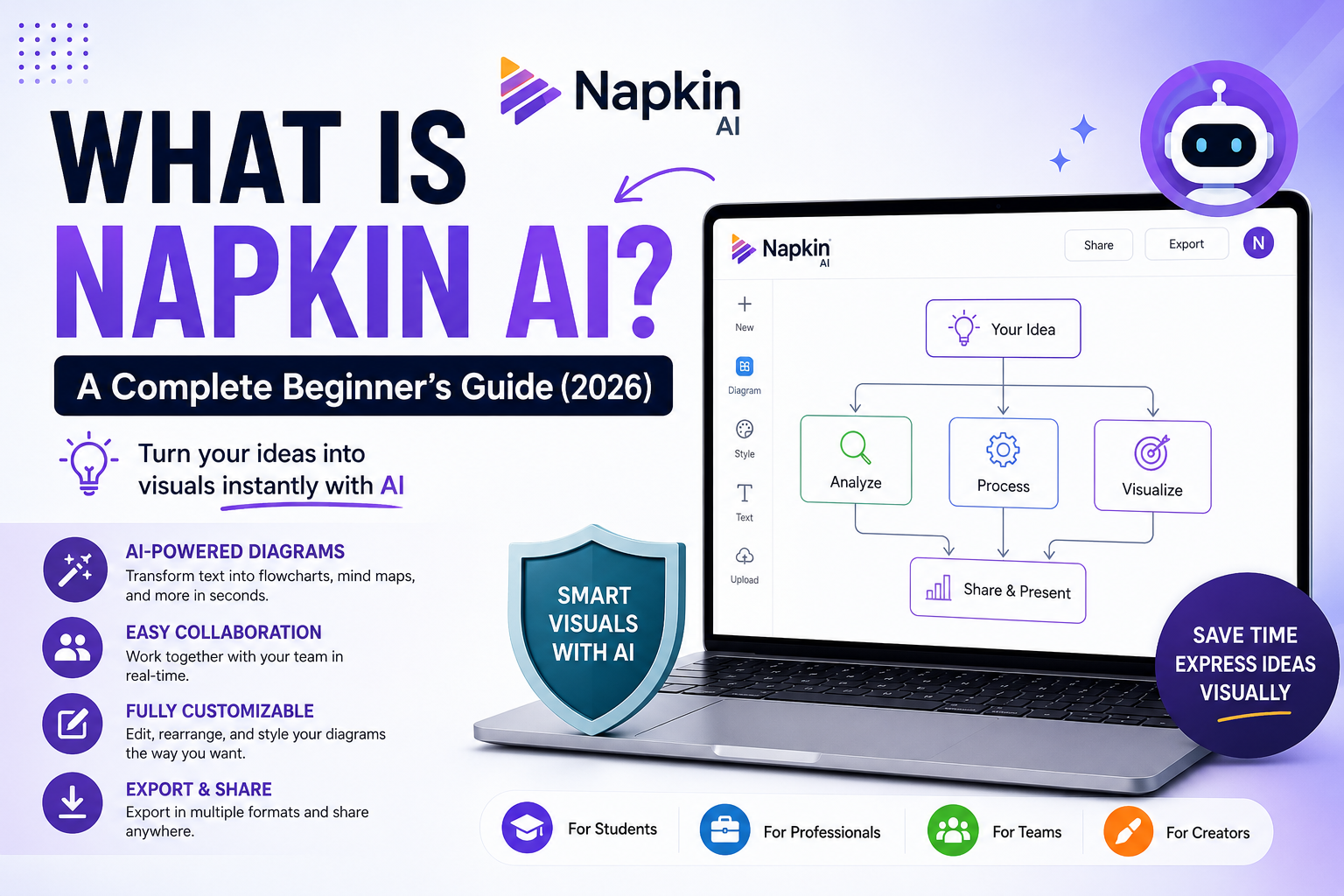
What Is Napkin AI? It’s one of the fastest-growing AI tools for turning text into professional diagrams and visual content. Have you ever stared at a page full of notes and wished they could magically turn into a clean, professional diagram?
Whether you’re planning a business strategy, organizing study notes, or preparing a presentation, turning ideas into visuals often takes more time than generating the ideas themselves. That’s exactly the problem Napkin AI aims to solve.
Instead of spending hours creating flowcharts, concept maps, or process diagrams manually, Napkin AI uses artificial intelligence to transform plain text into visually organized graphics in just a few clicks.
Over the past year, AI-powered productivity tools have become increasingly popular, but Napkin AI stands out because it focuses on one specific task—helping people communicate ideas visually. Rather than functioning as a chatbot or writing assistant, it converts written information into diagrams that are easy to understand and presentation-ready.
In this guide, you’ll learn what Napkin AI is, how it works, its key features, who it’s designed for, and whether it’s worth using in 2026.
To explore the platform firsthand, visit the official Napkin AI website before reading the rest of this guide.
What Is Napkin AI?
Napkin AI is an AI-powered visual communication tool that converts written ideas into professional-looking diagrams, flowcharts, mind maps, timelines, and structured visual content.
Instead of dragging shapes, connecting arrows, and formatting boxes manually, users simply describe their ideas in text. Napkin AI analyzes that information and automatically creates a visual representation that can be edited and customized.
Think of it as an intelligent diagram assistant.
For example, if you type:
“A customer places an order, payment is processed, the warehouse prepares the package, and the courier delivers it.”
Napkin AI can instantly transform that description into a clear workflow diagram showing each step in the process.
This makes it much easier to explain complex ideas without spending hours designing graphics from scratch.
Why Was Napkin AI Created?
Traditional diagram software often requires users to build everything manually.
You need to:
- Add shapes
- Connect arrows
- Adjust spacing
- Choose colors
- Organize layouts
- Fix alignment
For simple diagrams, that’s manageable.
But when you’re working with dozens of ideas or preparing multiple presentations, the process quickly becomes repetitive and time-consuming.
Napkin AI was created to remove this manual work by allowing users to focus on their ideas rather than the design process.
Instead of asking:
“How should I arrange these boxes?”
You simply explain your idea, and the AI handles the visual structure.
How Does Napkin AI Work?
Napkin AI uses artificial intelligence to understand the relationships between pieces of information.
Rather than only reading individual sentences, it attempts to identify how concepts connect.
A typical workflow looks like this:
Step 1: Enter Your Text
Paste your notes, outline, meeting summary, or ideas into the editor.
For example:
- Product launch checklist
- Marketing strategy
- Classroom lesson
- Business workflow
- Research notes
Step 2: AI Understands the Structure
The platform analyzes your content to identify:
- Main topics
- Supporting ideas
- Sequential processes
- Relationships
- Categories
- Decision points
Instead of creating random graphics, it organizes information logically.
Step 3: Automatic Diagram Generation
After processing your content, Napkin AI generates visuals such as:
- Flowcharts
- Process diagrams
- Mind maps
- Timelines
- Concept diagrams
- Organizational structures
The result is usually presentation-ready, though you can still make manual adjustments if needed.
Step 4: Customize Your Design
Once the diagram is generated, you can refine it by:
- Changing colors
- Editing text
- Rearranging elements
- Adjusting layouts
- Updating icons
- Exporting your final design
This combination of AI automation and manual editing gives users flexibility without sacrificing speed. Now that you understand what is Napkin AI, it’s easier to see why so many professionals are adding it to their daily workflow.
For more details about supported features and updates, check the official Napkin AI documentation.
Key Features of Napkin AI
Napkin AI includes several features that make it appealing to professionals, students, and teams.
1. AI-Powered Diagram Generation
This is the platform’s biggest advantage.
Instead of designing diagrams from scratch, users can generate structured visuals from plain text in seconds.
This feature alone can save hours on presentation preparation.
2. Simple and Beginner-Friendly Interface
Many traditional diagram tools come with a learning curve.
Napkin AI keeps things simple.
Even users with no design experience can start creating professional visuals within minutes.
3. Multiple Diagram Types
Napkin AI supports various visualization formats depending on your content.
These include:
- Flowcharts
- Concept maps
- Timelines
- Organizational charts
- Process diagrams
- Decision trees
- Framework diagrams
This versatility makes it useful across different industries and projects.
4. Fast Editing
AI-generated diagrams are rarely perfect on the first attempt.
Napkin AI allows users to quickly edit text, move elements, and adjust layouts without rebuilding the entire diagram.
5. Collaboration Features
Teams can work together on projects, making the platform useful for:
- Brainstorming sessions
- Product planning
- Business meetings
- Marketing campaigns
- Remote collaboration
Instead of emailing screenshots back and forth, team members can collaborate more efficiently within the platform.
Who Should Use Napkin AI?
One of Napkin AI’s biggest strengths is its versatility.
It isn’t designed for only one profession.
Instead, it supports anyone who needs to communicate ideas visually.
Students
Students can use Napkin AI to create:
- Study notes
- Mind maps
- Science processes
- Research summaries
- Project presentations
Visual learning often makes complex topics easier to understand and remember.
Teachers
Educators can quickly create:
- Lesson diagrams
- Classroom presentations
- Educational flowcharts
- Historical timelines
- Learning frameworks
Instead of spending valuable preparation time designing visuals manually, teachers can focus on improving their lessons.
Business Professionals
Business users commonly create:
- Workflow diagrams
- Customer journey maps
- Product roadmaps
- Process documentation
- Strategy presentations
- Meeting summaries
Visual communication helps teams understand complex processes much faster than text alone.
Content Creators
Bloggers, YouTubers, and marketers often need visuals to explain concepts.
Napkin AI can simplify:
- Article planning
- Content outlines
- Video scripts
- Marketing funnels
- SEO strategies
This makes long-form content easier to plan and present.
If you’re creating AI-powered content, our Copy.ai vs Writesonic comparison can help you choose the right writing assistant.
Why Is Napkin AI Becoming Popular?
Several factors explain its growing popularity.
First, it solves a real productivity problem. Most people have ideas but struggle to present them clearly. By turning text into structured visuals, Napkin AI reduces the time spent on manual design.
Second, its ease of use makes it accessible to beginners. You don’t need graphic design skills or experience with complex diagram software to create professional-looking visuals.
Finally, as remote work and online learning continue to grow, clear visual communication has become more important than ever. Napkin AI helps bridge the gap between raw ideas and polished presentations.
Why Are So Many People Using Napkin AI?
The biggest reason behind Napkin AI’s popularity is simple—it saves time.
Creating diagrams manually can easily take 30 minutes to an hour, especially if you’re arranging shapes, aligning boxes, and formatting everything from scratch. With Napkin AI, much of that work is automated, allowing you to focus on your ideas instead of the design.
Another reason is that visuals communicate information more effectively than long paragraphs. A well-structured diagram can often explain a process in seconds, making it easier for audiences to understand and remember.
Whether you’re a student preparing a presentation or a project manager explaining a workflow, this speed and clarity make a noticeable difference.
Benefits of Using Napkin AI
Napkin AI isn’t just about creating attractive diagrams. It helps improve productivity in several practical ways. Understanding what is Napkin AI also helps explain why it has become popular among students, educators, and businesses.
Saves Hours of Manual Work
Instead of designing every element yourself, the AI generates an organized layout based on your text. This can significantly reduce the time spent preparing presentations or documentation.
Makes Complex Ideas Easier to Understand
People process visual information faster than blocks of text.
By turning notes into flowcharts or concept maps, Napkin AI helps explain complicated ideas more clearly, making it useful for teaching, business planning, and team collaboration.
Encourages Better Brainstorming
During brainstorming sessions, ideas often become scattered across sticky notes or long documents.
Napkin AI organizes those ideas into a structured format, making it easier to identify connections, priorities, and next steps.
Improves Team Communication
Visual diagrams reduce misunderstandings.
Instead of describing a workflow in multiple paragraphs, you can present a diagram that shows each step clearly. This is particularly valuable for remote teams and cross-functional projects.
Suitable for Different Skill Levels
You don’t need to be a designer to use Napkin AI.
Its clean interface and AI-powered automation make it accessible to beginners while still offering enough flexibility for experienced professionals.
Real-World Use Cases
One of the biggest reasons people search for what is Napkin AI is to learn whether it fits their personal or professional needs.
Here are some practical examples.
For Students
Students often deal with large amounts of information. Napkin AI can help transform lecture notes into visual summaries that are easier to revise before exams.
Common use cases include:
- Mind maps for revision
- Research summaries
- Project planning
- Science process diagrams
- Presentation outlines
For Teachers
Teachers can use Napkin AI to create engaging educational materials without spending hours on design.
Examples include:
- Lesson plans
- Classroom diagrams
- Historical timelines
- Business models
- Scientific processes
- Visual learning aids
For Business Teams
Businesses frequently use diagrams to explain workflows, product strategies, and customer journeys.
Napkin AI can help create:
- Process maps
- Marketing funnels
- Customer journey diagrams
- Product roadmaps
- Organizational charts
- Meeting summaries
These visuals make communication more effective during presentations and team discussions.
For Content Creators
Writers, bloggers, YouTubers, and marketers can use Napkin AI to organize ideas before creating content.
It works well for:
- Blog outlines
- Video planning
- Content strategies
- SEO workflows
- Campaign planning
- Social media content calendars
Instead of relying only on text documents, creators can visualize their content strategy more effectively.
How to Use Napkin AI (Step-by-Step)
If you’re new to the platform, getting started is straightforward.
Step 1: Create an Account
Visit the Napkin AI website and sign up using your preferred email address or supported login method.
Once your account is ready, you’ll have access to your workspace.
Step 2: Start a New Project
Create a new workspace where you’ll enter the ideas you want to visualize.
This could be:
- Meeting notes
- Business plans
- Research outlines
- Marketing strategies
- Study materials
Step 3: Paste or Write Your Ideas
Enter your content in plain text.
For example:
Launch website → Publish content → Promote on social media → Analyze traffic → Improve SEO
The clearer your input, the better the AI can organize it.
Step 4: Generate Visuals
After processing your text, Napkin AI automatically creates a structured diagram.
Depending on your content, it may generate:
- Flowcharts
- Mind maps
- Process diagrams
- Frameworks
- Timelines
Step 5: Customize the Diagram
You can refine the AI-generated output by:
- Editing text
- Moving elements
- Changing colors
- Adjusting layouts
- Rearranging sections
- Adding or removing nodes
This allows you to create a final version that matches your presentation style.
Step 6: Export or Share
Once you’re satisfied with the result, export the diagram in a supported format or share it directly with teammates for collaboration.
Is Napkin AI Free?
Yes, Napkin AI offers a free plan that lets users explore its core features.
The free version is suitable for:
- Students
- Individual users
- Casual projects
- Learning the platform
For users who need advanced collaboration, larger projects, or additional export options, paid plans may provide more flexibility.
Because pricing and plan features can change over time, it’s a good idea to check the official pricing page before choosing a subscription.
What Can You Create with Napkin AI?
Many people assume Napkin AI is only for flowcharts, but it supports a wide range of visual content.
Some examples include:
- Flowcharts
- Process diagrams
- Mind maps
- Timelines
- Decision trees
- Organizational charts
- Business frameworks
- Product roadmaps
- Customer journey maps
- Strategy diagrams
This versatility makes it useful across education, marketing, software development, consulting, and business operations.
Is Napkin AI Easy for Beginners?
Absolutely.
One of Napkin AI’s biggest advantages is that it doesn’t require design experience.
Unlike traditional diagram software that expects users to build everything manually, Napkin AI automates the initial layout and lets users focus on refining the result.
This dramatically reduces the learning curve and helps beginners create professional-looking visuals within minutes.
Key Takeaway
Napkin AI is designed to simplify visual communication. By combining AI-powered automation with easy customization, it enables students, educators, professionals, and businesses to transform ideas into clear, engaging diagrams without spending hours on manual design.
Napkin AI vs Other Popular Diagram Tools
Choosing the right visual collaboration tool depends on your workflow. While Napkin AI focuses on turning text into AI-generated diagrams, other platforms offer different strengths.
| Feature | Napkin AI | Canva | Miro | Lucidchart |
|---|---|---|---|---|
| AI-Powered Diagram Generation | ✅ Yes | Limited | Yes | Limited |
| Text to Visuals | ✅ Excellent | Basic | Good | Basic |
| Beginner-Friendly | ⭐⭐⭐⭐⭐ | ⭐⭐⭐⭐⭐ | ⭐⭐⭐⭐ | ⭐⭐⭐ |
| Team Collaboration | ✅ Yes | ✅ Yes | ⭐⭐⭐⭐⭐ | ⭐⭐⭐⭐ |
| Manual Diagram Editing | Yes | Yes | Yes | Excellent |
| Best For | AI-generated diagrams | Graphic design | Team brainstorming | Professional flowcharts |
If you’re still wondering what is Napkin AI and how it compares with Canva or Miro, the comparison above should give you a clear overview.
Looking for more AI productivity tools? Explore our list of Best Free AI Writing Tools Without Sign Up.
Which One Should You Choose?
- Choose Napkin AI if you want AI to automatically transform text into diagrams.
- Choose Canva if your primary goal is graphic design, presentations, or social media content.
- Choose Miro if you collaborate with large teams on workshops and brainstorming sessions.
- Choose Lucidchart if you need detailed, manually designed technical diagrams.
If speed and simplicity matter most, Napkin AI is one of the easiest tools to get started with.
Pros and Cons of Napkin AI
Every productivity tool has strengths and limitations. Here’s a balanced overview.
Pros
- Saves hours by generating diagrams from text.
- Clean, modern, and beginner-friendly interface.
- Great for presentations, planning, and brainstorming.
- Supports collaboration for teams.
- Easy to customize AI-generated visuals.
- Useful across education, business, and content creation.
- Reduces manual design work significantly.
Cons
- Requires an internet connection.
- AI-generated layouts may occasionally need manual adjustments.
- Advanced collaboration features may require a paid plan.
- Not intended for highly confidential documents.
- Limited if you need highly technical engineering diagrams.
Overall, the advantages outweigh the limitations for most everyday users.
Tips for Getting the Best Results with Napkin AI
To make the most of the platform:
- Write clear and structured input instead of long, unorganized paragraphs.
- Break complex ideas into smaller sections before generating visuals.
- Review AI-generated diagrams and make manual adjustments where necessary.
- Use consistent terminology throughout your notes.
- Keep sensitive or confidential information out of cloud-based AI tools.
- Save different versions of important projects before making major edits.
These simple habits improve both the quality of the diagrams and your overall workflow.
Frequently Asked Questions
What is Napkin AI?
What is Napkin AI? Napkin AI is an AI-powered visualization tool that converts text into diagrams, mind maps, flowcharts, and other visual content in just a few clicks.
What is Napkin AI used for?
Napkin AI is used to convert written ideas into visual diagrams such as flowcharts, mind maps, timelines, process maps, and business frameworks. It helps users communicate information more clearly without creating diagrams manually.
Is Napkin AI free?
Yes. Napkin AI offers a free plan with access to core features. Users who need advanced collaboration, additional exports, or premium functionality can upgrade to a paid plan.
Why should I use Napkin AI?
If you’re asking what is Napkin AI, thesimplest answer is that it’s an AI tool designed to make visual communication faster and easier.
Who should use Napkin AI?
Napkin AI is suitable for:
- Students
- Teachers
- Content creators
- Business professionals
- Startup founders
- Product managers
- Marketing teams
- Consultants
Anyone who regularly explains ideas visually can benefit from the platform.
Does Napkin AI require design experience?
No.
One of Napkin AI’s biggest strengths is that beginners can create professional-looking visuals without prior design skills. The AI handles most of the layout automatically.
Can I collaborate with my team?
Yes. Napkin AI supports collaborative workflows, making it easier for teams to brainstorm, edit, and share visual projects together.
Is Napkin AI safe?
For most personal, educational, and business use cases, Napkin AI appears to be a secure and trustworthy platform. However, as with any cloud-based AI service, users should avoid uploading highly sensitive or confidential information.
Final Verdict: Is Napkin AI Worth Using?
If you’ve ever spent more time formatting diagrams than actually developing ideas, Napkin AI can be a game changer.
Rather than replacing your creativity, it removes one of the most repetitive parts of visual communication—manual diagram creation. By converting text into structured visuals, it allows you to focus on refining your message instead of arranging shapes and arrows.
For students, it simplifies study materials and presentations. For educators, it speeds up lesson preparation. For professionals, it helps communicate workflows, strategies, and processes more clearly. And for content creators, it provides an efficient way to organize ideas before publishing.
While no AI tool is perfect, Napkin AI strikes a strong balance between automation, ease of use, and flexibility. As long as you avoid uploading highly sensitive information and review AI-generated diagrams before sharing them, it’s a reliable productivity tool for most users.
If your work involves explaining ideas visually, Napkin AI is well worth exploring in 2026.
If you’re researching AI software for work or study, you may also like our Best LLM for Research guide.
Conclusion
Visual communication has become an essential part of modern work and education. Whether you’re presenting a business strategy, teaching a classroom, or organizing personal ideas, clear diagrams often communicate faster than pages of text.
Napkin AI makes that process significantly easier by transforming written content into professional visuals with minimal effort. Its intuitive interface, AI-powered automation, and collaborative features make it an excellent choice for beginners and experienced professionals alike.
Although manual editing is sometimes needed to fine-tune AI-generated diagrams, the time saved compared to traditional diagram software is substantial.
By now, you should have a clear understanding of what is Napkin AI, how it works, and whether it’s the right tool for your workflow.
If you’re concerned about data protection, read our detailed guide on Is Napkin AI Safe? before using the platform for sensitive information.
For more info, please visit ToolFluxAI.
About The Author