


AI tools for high school students have changed the way teenagers study, complete homework, and prepare for exams. Whether you need help with writing, research, math, or revision, the right AI tool can make learning easier and more enjoyable. High school can be exciting, but let’s be honest—it can also feel overwhelming. One week you’re preparing for a science quiz, the next you’re juggling essays, presentations, homework, and extracurricular activities. Finding enough time for everything isn’t always easy.
That’s exactly why AI tools have become so popular among students over the past few years.
Used the right way, AI isn’t about cheating or taking shortcuts. It’s about learning more efficiently. Whether you need help understanding a difficult math concept, organizing class notes, improving your writing, or preparing for exams, today’s AI tools can save time while helping you become a better learner.
The challenge is that there are hundreds of AI apps available, and not all of them are worth your attention. Some produce inaccurate answers, others hide useful features behind expensive subscriptions, and a few simply aren’t designed with students in mind.
To make your decision easier, I tested, compared, and researched many of today’s most popular AI learning tools. In this guide, you’ll discover the best AI tools for high school students in 2026, what each one does best, its pros and cons, pricing, and who should use it.
In this guide, we’ll explore the best AI tools for high school students, compare their features, and help you choose the right one for your learning style.
If you’re looking for even more recommendations, don’t miss our guide on Best AI Tools for Students Free in 2026
Why AI Tools for High School Students Are Becoming Essential
A few years ago, students mainly used search engines to find answers. Today, AI can do much more than provide links.
Modern AI tools can:
- Explain difficult concepts in simple language
- Summarize long textbook chapters
- Create personalized study plans
- Generate practice quizzes
- Improve essays and assignments
- Solve math problems step by step
- Turn notes into flashcards
- Help with presentations
- Translate languages
- Organize study schedules
The biggest advantage isn’t that AI gives you answers—it’s that it can explain why an answer is correct. When used responsibly, it becomes a study partner instead of just another search tool.
How We Selected the Best AI Tools for High School Students
There are countless AI apps online, but only a handful genuinely help high school students learn better. For this guide, I focused on tools that are practical, beginner-friendly, and offer real educational value.
Here’s what I looked for:
- Easy to use for beginners
- Accurate and reliable responses
- Free plan or affordable pricing
- Helpful for daily schoolwork
- Strong privacy and security
- Works on both desktop and mobile
- Regular updates and active development
- Positive feedback from students and educators
These aren’t ranked only by popularity. Instead, they’re selected based on how useful they are in everyday high school life.
1. ChatGPT – The Best All-Around AI Study Assistant
Among all the AI tools for high school students, ChatGPT is one of the most versatile options available today. If I had to recommend just one AI tool for most high school students, ChatGPT would be at the top of the list.
What makes it different is its versatility. Instead of solving just one problem, it can help with writing, brainstorming, explaining complex topics, summarizing chapters, preparing for exams, and even creating custom quizzes.
For example, imagine you’re struggling with photosynthesis in biology. Rather than giving a textbook definition, ChatGPT can explain it in simple language, provide examples, and even test your understanding with follow-up questions.
That kind of interactive learning makes studying far more engaging.
Best Features
- Homework explanations
- Essay brainstorming
- Study guides
- Practice quizzes
- Language learning
- Coding assistance
- Creative writing support
Pros
- Extremely easy to use
- Covers almost every subject
- Great free version
- Fast responses
- Excellent for revision
Cons
- Can occasionally provide incorrect information
- Always verify important facts with trusted sources
Best For
Students who want one AI assistant for nearly every subject.
You can also read our detailed ChatGPT Review for Students to learn about its features and limitations.
2. Google Gemini – Best for Research and Google Workspace Users
If you’re looking for AI tools for high school students that work well with Google Workspace, Gemini is an excellent choice. If your school already relies on Google Docs, Gmail, or Google Drive, Gemini fits naturally into your workflow.
One thing I appreciate about Gemini is how well it handles research. Instead of simply generating answers, it often provides up-to-date information and integrates smoothly with Google’s ecosystem.
Need to summarize a long article? Draft an email to a teacher? Brainstorm ideas for a history project? Gemini can help with all of these tasks without requiring you to switch between multiple apps.
Best Features
- Google Docs integration
- Research assistance
- Image understanding
- Writing support
- Study planning
Pros
- Clean interface
- Fast performance
- Helpful for school projects
- Strong integration with Google services
Cons
- Advanced features may require a paid plan
- Responses can vary depending on the prompt
Best For
Students already using Google Workspace for school.
3. Perplexity AI – Best for Finding Reliable Sources
Perplexity AI is one of the most reliable AI tools for high school students who frequently work on research projects. One mistake many students make is trusting the first AI-generated answer they see.
That’s where Perplexity AI stands out.
Instead of simply giving an answer, it usually includes links to the sources it used. This makes it much easier to verify information and cite reliable references when working on assignments or research papers.
I especially recommend it for history, science, and current-events projects where accuracy matters.
Best Features
- Source-backed answers
- Fast research
- Follow-up questions
- Web-based information retrieval
Pros
- Excellent accuracy
- Saves research time
- Great for academic work
- Easy to verify information
Cons
- Less creative than general-purpose AI chatbots
- Some advanced capabilities are paid
Best For
Research projects, essays, and fact-checking.
4. Grammarly – Best for Better Writing
Grammarly remains one of the best AI tools for high school students who want to improve their writing skills. Even strong students make grammar mistakes from time to time.
Grammarly doesn’t just fix spelling errors—it explains awkward sentences, improves clarity, and helps your writing sound more natural.
Whether you’re writing an English essay, scholarship application, or class report, Grammarly can help you communicate your ideas more effectively.
It’s especially useful if English isn’t your first language.
Best Features
- Grammar checking
- Tone suggestions
- Clarity improvements
- Plagiarism tools (Premium)
- Writing feedback
Pros
- Beginner-friendly
- Works in browsers and documents
- Saves editing time
- Improves writing skills over time
Cons
- Premium features require a subscription
- Sometimes recommends stylistic changes you may not want
Best For
Essays, reports, emails, and assignments.
We also compared several AI Writing Tools for academic assignments.
5. Quizlet – Best for Memorizing Information
Quizlet is one of the most effective AI tools for high school students preparing for quizzes and final exams. Reading notes repeatedly isn’t always the most effective way to study.
Quizlet takes a different approach by turning information into interactive flashcards, quizzes, and learning games.
If you’re preparing for vocabulary tests, biology terms, historical dates, or formulas, Quizlet makes revision much more engaging.
Many teachers also share ready-made study sets, so you don’t always need to create your own from scratch.
Best Features
- Digital flashcards
- AI-powered practice tests
- Study games
- Progress tracking
- Mobile learning
Pros
- Excellent for exam revision
- Easy to use
- Large library of study sets
- Great mobile app
Cons
- Some advanced study modes are paid
- Quality of community-created sets can vary
Best For
Students who learn best through repetition and active recall.
6. Notion AI – Best for Organizing School Life
Notion AI is among the most useful AI tools for high school students who want to stay organized throughout the school year. Being a good student isn’t just about studying hard—it’s also about staying organized.
That’s where Notion AI shines.
Think of it as a digital notebook, planner, task manager, and AI assistant combined into one workspace. Instead of keeping your notes, homework deadlines, and study plans scattered across different apps, you can manage everything in one place.
I particularly like using Notion AI to turn messy class notes into neat summaries. It can also create to-do lists, study schedules, meeting notes for group projects, and even help brainstorm ideas for assignments.
If you’re someone who often forgets deadlines or struggles to keep track of multiple subjects, this tool can quickly become your favorite.
Best Features
- AI-powered note summaries
- Homework planner
- Assignment tracker
- Study schedule generator
- Brainstorming assistant
- Team collaboration
- Templates for students
Pros
- Clean and customizable workspace
- Excellent organization features
- Helpful AI writing assistant
- Great for long-term study planning
- Works across multiple devices
Cons
- Can feel overwhelming for first-time users
- Some AI features require a paid plan
Best For
Students who want to organize notes, homework, and projects in one place.
7. Canva – Best for Presentations and School Projects
Canva is one of the best creative AI tools for high school students working on presentations and school projects. Not every assignment is about writing essays. Sometimes you need to design posters, presentations, infographics, or visual reports.
That’s where Canva makes life much easier.
Even if you’ve never designed anything before, Canva’s drag-and-drop editor lets you create professional-looking school projects in minutes. Its AI features can generate images, rewrite text, suggest layouts, and even create presentation slides based on a simple prompt.
For students who want their projects to stand out without spending hours designing them, Canva is hard to beat.
Best Features
- AI presentation generator
- Poster maker
- Infographic creator
- Image editing
- Background remover
- Magic Write AI
- Thousands of templates
Pros
- Beginner-friendly
- Huge template library
- Excellent free version
- Works in any browser
- Great for group projects
Cons
- Some premium templates require Canva Pro
- AI image generation has usage limits on the free plan
Best For
Presentations, posters, science fairs, and creative school assignments.
8. Khan Academy (Khanmigo) – Best for Personalized Learning
Khan Academy offers one of the smartest AI tools for high school students who prefer guided learning. Khan Academy has been helping students for years, but with the addition of AI-powered learning features, it has become even more useful.
Unlike many AI chatbots that simply provide answers, Khanmigo is designed to act more like a tutor. Instead of solving every problem for you, it asks questions, gives hints, and encourages you to think through the solution.
That approach helps you understand concepts rather than memorize answers.
Whether you’re studying algebra, chemistry, biology, economics, or computer science, Khan Academy offers structured lessons that pair well with its AI assistance.
Best Features
- Interactive AI tutoring
- Practice exercises
- Personalized learning paths
- Progress tracking
- Video lessons
- Subject-specific guidance
Pros
- Trusted educational platform
- Excellent learning experience
- Helps build real understanding
- Great for self-study
- Covers many school subjects
Cons
- AI tutor availability may vary
- Advanced features may not be available in every region
Best For
Students who want guided learning instead of instant answers.
9. Photomath – Best for Learning Mathematics
Photomath is one of the most trusted AI tools for high school students struggling with mathematics. Math is one subject where many students lose confidence quickly.
Photomath helps by breaking problems into smaller, understandable steps.
Simply point your phone’s camera at a math problem, and the app explains how to solve it—not just what the final answer is.
Whether you’re learning algebra, geometry, fractions, trigonometry, or calculus, Photomath can make difficult problems feel much less intimidating.
However, it’s important to use it as a learning tool rather than copying answers. Try solving the question yourself first, then compare your method with the app’s explanation.
Best Features
- Camera-based problem solving
- Step-by-step explanations
- Graph visualization
- Multiple solving methods
- Offline support for many features
Pros
- Very easy to use
- Excellent explanations
- Great for homework review
- Supports many math topics
- Helpful for exam preparation
Cons
- Doesn’t replace classroom practice
- Premium version unlocks additional explanations
Best For
Math homework, exam revision, and understanding complex equations.
10. Wolfram Alpha – Best for Advanced STEM Subjects
Wolfram Alpha is a powerful choice among AI tools for high school students studying advanced STEM subjects. If Photomath is ideal for everyday school math, Wolfram Alpha is the tool you’ll appreciate when tackling more advanced STEM topics.
It doesn’t just calculate answers—it analyzes problems using a massive knowledge base and computational engine.
For high school students studying physics, chemistry, statistics, engineering basics, or advanced mathematics, Wolfram Alpha can become an incredibly valuable learning companion.
It can generate graphs, solve equations, explain formulas, perform unit conversions, and analyze scientific data.
While its interface isn’t as beginner-friendly as some other tools, the depth of information it provides is impressive.
Best Features
- Advanced calculations
- Scientific data analysis
- Graph plotting
- Equation solving
- Formula explanations
- Unit conversions
- Statistics support
Pros
- Extremely accurate
- Powerful STEM capabilities
- Great for higher-level math and science
- Saves time during research
- Reliable computational engine
Cons
- Interface may seem technical at first
- Some advanced features require Pro access
Best For
Students taking advanced mathematics, physics, chemistry, and STEM courses.
Quick Comparison: Tools #6–#10
| Tool | Best For | Free Plan | Difficulty |
|---|---|---|---|
| Notion AI | Notes & Organization | ✅ Yes | Easy |
| Canva | Presentations & Projects | ✅ Yes | Easy |
| Khan Academy | Guided Learning | ✅ Yes | Easy |
| Photomath | Math Homework | ✅ Yes | Very Easy |
| Wolfram Alpha | Advanced STEM | ✅ Yes | Medium |
Study Tip
One mistake I often see students make is downloading every popular AI app they come across. More tools don’t necessarily mean better results.
A smarter approach is to build a small toolkit that matches your daily needs. For example:
- ChatGPT for explanations and brainstorming
- Grammarly for polishing assignments
- Quizlet for exam revision
- Notion AI for organizing notes
- Photomath for understanding math problems
Using five well-chosen tools consistently is usually far more effective than trying to manage fifteen different apps.
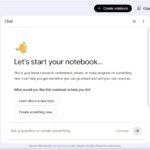
11. NotebookLM – Best for Studying From Your Own Notes
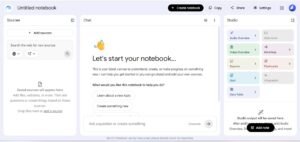
NotebookLM is one of Google’s newest AI tools for high school students who study from PDFs and class notes. Imagine having an AI assistant that only studies your textbooks, PDFs, class notes, and lecture materials instead of searching the entire internet. That’s exactly what NotebookLM offers.
Developed by Google, NotebookLM lets you upload your own study resources and ask questions based on those documents. Instead of giving generic answers, it responds using the information you’ve provided.
This makes it incredibly useful for exam preparation, especially when your teacher has shared specific PDFs or study guides.
Best Features
- Upload PDFs and notes
- AI-generated summaries
- Study guides
- Practice questions
- Source-based answers
- Audio Overviews (supported in some regions)
Pros
- Uses your own study materials
- Great for revision
- Helps understand lengthy documents
- Reduces study time
Cons
- Best results depend on the quality of uploaded documents
- Some features may not be available in every country
Best For
Students preparing for exams using class notes and textbooks.
12. Claude – Best for Long Writing and Reading
Claude is one of the best AI tools for high school students who regularly write essays and long assignments. Claude is one of the most thoughtful AI assistants available today. It performs especially well when working with long documents, essays, research notes, and detailed explanations.
If you’re writing a literature review, analyzing a novel, or improving an English assignment, Claude often produces more natural and structured responses than many other chatbots.
It also does a good job explaining difficult ideas without making them sound overly technical.
Best Features
- Essay improvement
- Long document analysis
- Brainstorming
- Writing feedback
- Reading comprehension
Pros
- Natural writing style
- Excellent explanations
- Handles long conversations well
- Helpful for English and humanities
Cons
- Daily limits on the free plan
- May avoid answering some prompts for safety reasons
Best For
Essay writing, literature, history, and reading comprehension.
13. Microsoft Copilot – Best for Microsoft Office Users
Microsoft Copilot is another excellent option among AI tools for high school students using Microsoft Office. If your school uses Microsoft Word, PowerPoint, or Excel, Microsoft Copilot can make everyday tasks much easier.
It can help draft reports, summarize documents, create presentation outlines, and organize information without leaving the Microsoft ecosystem.
For students already familiar with Microsoft Office, Copilot feels like a natural extension rather than a completely new tool.
Best Features
- Word assistance
- PowerPoint support
- Excel help
- Writing suggestions
- Research summaries
Pros
- Excellent Microsoft integration
- Time-saving features
- Good writing support
- Easy to use
Cons
- Premium features require Microsoft 365
- Works best inside Microsoft’s apps
Best For
Students who regularly use Word, PowerPoint, and Excel.
14. Otter.ai – Best for Lecture Notes
Otter.ai is one of the most practical AI tools for high school students who attend online classes or lectures. Keeping up with every word during a classroom lecture isn’t always easy.
Otter.ai automatically records and transcribes spoken conversations, making it easier to review lessons later.
While not every school allows classroom recording, it’s particularly useful for online classes, study groups, interviews, and personal revision sessions.
Instead of worrying about writing every detail, you can focus on understanding the lesson.
Best Features
- AI transcription
- Speaker identification
- Searchable notes
- Automatic summaries
- Cloud synchronization
Pros
- Saves time
- Accurate transcription
- Great for revision
- Easy note organization
Cons
- Recording policies vary by school
- Free plan has monthly limits
Best For
Lecture notes, study groups, and online classes.
15. Gamma – Best for AI Presentations
Gamma is one of the newest AI tools for high school students for creating presentations quickly. Creating presentations from scratch can take hours.
Gamma dramatically reduces that time by generating attractive presentation slides from just a short prompt.
Whether you’re preparing a science presentation, history project, or class seminar, Gamma helps create clean, professional slides without requiring advanced design skills.
Remember to review and personalize the slides before submitting them.
Best Features
- AI slide generation
- Beautiful layouts
- Interactive presentations
- Collaboration tools
- Export options
Pros
- Extremely fast
- Professional designs
- Beginner-friendly
- Great for school projects
Cons
- Limited free generation
- Always review AI-generated content
Best For
Presentations, project work, and classroom reports.
Comparison of the Best AI Tools for High School Students
| AI Tool | Best For | Free Plan | Ease of Use | Overall Rating |
|---|---|---|---|---|
| ChatGPT | Homework & Learning | ✅ | ⭐⭐⭐⭐⭐ | ⭐⭐⭐⭐⭐ |
| Google Gemini | Research | ✅ | ⭐⭐⭐⭐⭐ | ⭐⭐⭐⭐⭐ |
| Perplexity AI | Fact Checking | ✅ | ⭐⭐⭐⭐☆ | ⭐⭐⭐⭐⭐ |
| Grammarly | Writing | ✅ | ⭐⭐⭐⭐⭐ | ⭐⭐⭐⭐⭐ |
| Quizlet | Revision | ✅ | ⭐⭐⭐⭐⭐ | ⭐⭐⭐⭐⭐ |
| Notion AI | Organization | ✅ | ⭐⭐⭐⭐☆ | ⭐⭐⭐⭐☆ |
| Canva | Presentations | ✅ | ⭐⭐⭐⭐⭐ | ⭐⭐⭐⭐⭐ |
| Khan Academy | Learning | ✅ | ⭐⭐⭐⭐⭐ | ⭐⭐⭐⭐⭐ |
| Photomath | Mathematics | ✅ | ⭐⭐⭐⭐⭐ | ⭐⭐⭐⭐⭐ |
| Wolfram Alpha | Advanced STEM | ✅ | ⭐⭐⭐⭐☆ | ⭐⭐⭐⭐☆ |
| NotebookLM | Study Notes | ✅ | ⭐⭐⭐⭐☆ | ⭐⭐⭐⭐⭐ |
| Claude | Writing | ✅ | ⭐⭐⭐⭐⭐ | ⭐⭐⭐⭐⭐ |
| Microsoft Copilot | Office Tasks | ✅ | ⭐⭐⭐⭐☆ | ⭐⭐⭐⭐☆ |
| Otter.ai | Lecture Notes | ✅ | ⭐⭐⭐⭐☆ | ⭐⭐⭐⭐☆ |
| Gamma | Presentations | ✅ | ⭐⭐⭐⭐⭐ | ⭐⭐⭐⭐☆ |
Which AI Tools for High School Students Should You Choose?
Here’s a quick recommendation based on different study needs:
- Best Overall: ChatGPT
- Best for Research: Perplexity AI
- Best for Essay Writing: Claude
- Best for Grammar: Grammarly
- Best for Math: Photomath
- Best for Science & Engineering: Wolfram Alpha
- Best for Presentations: Canva
- Best for Revision: Quizlet
- Best for Notes: NotebookLM
- Best for Productivity: Notion AI
How to Use AI Tools for High School Students Responsibly
AI can be an excellent learning companion, but it works best when used responsibly.
- Use AI to understand concepts, not to copy answers.
- Double-check important facts with trusted sources.
- Follow your school’s academic integrity rules.
- Cite sources when required.
- Protect your personal information.
- Review AI-generated work before submitting assignments.
The goal should always be to learn, not simply finish homework faster.
Frequently Asked Questions
Are AI tools safe for high school students?
Yes, most reputable AI tools are safe when used responsibly. Students should avoid sharing personal information and always follow their school’s policies.
Which AI tool is best for homework?
ChatGPT is one of the best all-around homework assistants because it can explain concepts across many subjects.
Is ChatGPT free for students?
Yes. A free version is available, with optional paid plans that include additional features.
What’s the best AI tool for math?
Photomath is excellent for step-by-step solutions, while Wolfram Alpha is better for advanced STEM topics.
Can AI help improve writing?
Absolutely. Grammarly and Claude are particularly useful for improving grammar, clarity, and overall writing quality.
Can teachers detect AI-generated assignments?
Many schools use AI detection tools, but no detector is perfectly accurate. More importantly, submitting AI-generated work as your own may violate your school’s academic integrity policy. Use AI to learn and improve your work rather than replacing your own thinking.
Which AI tool is best for creating presentations?
Canva and Gamma are excellent options for designing attractive presentations quickly.
Do I need multiple AI tools?
Not necessarily. Most students can cover nearly all their needs with three to five well-chosen tools.
My Verdict on the Best AI Tools for High School Students
After spending time comparing these tools and looking at how students actually use them, one thing became clear: AI works best when it supports your learning instead of replacing it.
If I had to recommend only one tool, ChatGPT would be my first choice because of its versatility. It can explain difficult topics, generate practice questions, help with writing, and support almost every subject taught in high school.
That said, no single AI tool is perfect. If research is your priority, Perplexity AI is a better choice because it provides source-backed answers. For improving essays, Claude and Grammarly are excellent. Students who struggle with mathematics should definitely keep Photomath in their toolkit, while Canva remains my favorite option for creating professional-looking presentations.
My advice is simple: don’t install every AI app you find. Choose a few reliable tools that match your learning style, use them consistently, and always make sure you understand the material instead of relying on AI to do the work for you.
Students who learn how to use AI responsibly today won’t just perform better in school—they’ll also develop valuable digital skills that will benefit them in college and future careers.
Conclusion
AI has become an important part of modern education, but the real advantage doesn’t come from getting instant answers—it comes from learning more efficiently.
The tools in this guide can help you stay organized, improve your writing, understand difficult concepts, prepare for exams, and save valuable study time. Whether you’re looking for an all-in-one assistant like ChatGPT, a research-focused tool like Perplexity AI, or a math specialist like Photomath, there’s an option that fits every student’s needs.
The key is to use AI thoughtfully. Ask questions, verify information, practice what you learn, and let these tools strengthen your understanding rather than replace it.
With the right approach, AI can become one of the most valuable study partners you’ll have throughout high school.
If you enjoyed this article, you may also like: 10 Best AI Tools for Homework and Assignments in 2026 (Free & Paid)
For more info please visit toolfluxai.com
About The Author