


A student staring at a 50-page PDF the night before an exam has a very different relationship with AI than someone using it to write an essay.
That difference matters.
Generative AI can be genuinely useful for students, but its value isn’t simply about getting answers faster. The better use of these tools is to make difficult material easier to understand, turn passive studying into active practice, and reduce some of the repetitive work that comes with research and coursework.
The challenge is choosing the right tool. ChatGPT, Claude, Gemini, Perplexity, NotebookLM, and dozens of other AI products can all help students, but they aren’t designed for the same jobs.
So, instead of treating every AI tool as interchangeable, this guide focuses on what each one is actually good at, where it can save students time, and where a little caution is necessary.
If you regularly work with lecture materials, you may also want to explore our guide to AI note-taking tools for students.
What Are Generative AI Tools for Students?
Generative AI refers to AI systems that can create new content in response to a user’s instructions. Depending on the tool, that content might be text, summaries, questions, images, presentations, code, or other forms of media.
For students, that opens up some practical possibilities.
You could ask an AI assistant to explain a difficult programming concept using a simple example. You could turn your lecture notes into a set of practice questions. You could upload course material and ask for a summary of the main ideas.
You could even use AI as a kind of study partner: explain something in your own words and ask it to point out what you may have misunderstood.
That last approach is often more useful than simply asking, “What’s the answer?”
The tools below are some of the most useful options for different parts of the student workflow.
The 10 Best Generative AI Tools for Students
1. ChatGPT — Best All-Around Choice
If you want one AI tool that can handle a little bit of everything, ChatGPT is probably the easiest place to start.
A student can use it to break down a difficult topic, brainstorm an assignment, generate practice questions, troubleshoot code, or create a study plan. Its conversational format is particularly useful because you can keep asking follow-up questions instead of starting from scratch.
For example, suppose you’re studying database normalization and the textbook explanation isn’t clicking. Rather than asking for a definition and stopping there, you could ask ChatGPT to explain it using a small fictional database, quiz you afterward, and then explain any mistakes in your answers.
That’s where the tool becomes more than a search box.
Useful student applications
- Explaining difficult concepts
- Creating practice quizzes
- Brainstorming assignment ideas
- Building study plans
- Summarizing text
- Learning programming
- Reviewing drafts
- Preparing for exams
What to watch out for
ChatGPT can sound extremely confident even when an answer is wrong. That makes verification important, particularly for academic research, technical subjects, statistics, and anything where a small factual error can affect your work.
Best for: Students who want one flexible AI assistant for studying, writing, brainstorming, and coding.
2. Claude — A Strong Choice for Writing and Analysis
Claude is particularly useful when your work involves a lot of text.
Think about a long reading assignment, a rough essay outline, or a document full of research notes. Instead of asking the AI to “write my essay,” a much better use is to ask it to help you organize the material, identify weak points in an argument, or explain a complicated section.
Its writing is useful for students who want help refining ideas without starting with a completely blank page.
Where it can help
- Organizing essay ideas
- Summarizing lengthy documents
- Brainstorming arguments
- Reviewing drafts
- Explaining difficult material
- Analyzing text
- Coding assistance
One practical approach is to write your own rough outline first, then ask Claude to point out any missing connections or areas that need stronger evidence.
That keeps the thinking yours while using AI for feedback.
Best for: Long-form writing, document analysis, brainstorming, and structured thinking.
If you’re looking for more writing-focused options, check out our guide to the best AI writing tools
3. Google Gemini — Useful for General Study and Productivity
For students already comfortable with Google’s ecosystem, Gemini is a natural option to explore.
Like other general-purpose AI assistants, it can explain concepts, brainstorm ideas, summarize information, and help with writing. Its usefulness becomes more apparent when AI assistance is part of a broader productivity workflow rather than a one-off question.
Imagine you’re preparing a class presentation. You might use AI to brainstorm possible angles, organize the sections, and then move into your regular productivity tools to build the final project.
Good uses for students
- Brainstorming research topics
- Explaining concepts
- Summarizing information
- Generating study questions
- Drafting ideas
- General productivity
As with any general-purpose AI assistant, don’t assume that a polished response is automatically accurate. For coursework and research, verify information before relying on it.
Best for: General AI assistance, brainstorming, study help, and productivity.
4. Perplexity — Best for Research and Source Discovery
Perplexity is worth considering when your main question isn’t just “Can AI explain this?” but “Where can I learn more about this?”
Its research-focused experience can make it useful for exploring unfamiliar subjects and finding sources worth investigating.
For example, if you’re starting a university assignment about the effects of generative AI on education, you can use Perplexity to explore the major arguments, discover relevant sources, and identify questions you may want to investigate further.
But there’s an important distinction: finding a source is not the same as verifying a claim.
If something is important enough to include in an academic paper, open the source and read it yourself.
Useful for
- Initial research
- Discovering sources
- Exploring unfamiliar topics
- Comparing viewpoints
- Finding research leads
- Understanding current topics
Best for: Research exploration and finding sources to investigate.
For more research-focused recommendations, see our guide to the best AI tools for research
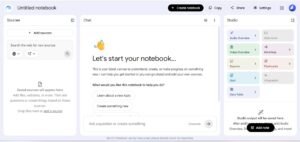
5. NotebookLM — Excellent for Your Own Study Materials
NotebookLM is one of the more interesting options for students because it works particularly well when you already have material you need to study.
Instead of asking a general question about a subject, you can work with your own documents and course materials.
This makes it especially appealing during exam season.
Imagine you’ve collected several lecture PDFs, class notes, and reading materials for one course. Rather than repeatedly searching through those documents, you can use NotebookLM to help you navigate the material and ask questions about it.
Students can use it for
- Lecture notes
- Course PDFs
- Study material summaries
- Reviewing documents
- Asking questions about provided material
- Exam preparation
- Organizing information
It can save time when you’re dealing with a large amount of reading.
Still, don’t treat an AI-generated summary as a replacement for the original material. If a detail matters, go back to the source.
Best for: Students who study from PDFs, lecture notes, and other course documents.
6. Microsoft Copilot — Handy for Everyday Academic Work
Microsoft Copilot can be useful for students who already spend much of their time working with Microsoft’s productivity tools.
Its role is less about being a specialized study platform and more about providing AI assistance across everyday tasks such as brainstorming, drafting, summarizing, and organizing information.
For example, if you’re stuck on how to structure a report, you can use AI to generate several possible approaches and then choose and develop the one that makes sense for your assignment.
Useful applications
- Brainstorming
- Drafting ideas
- Summarizing information
- Organizing content
- Writing assistance
- General productivity
The best results usually come when you provide your own context rather than asking vague questions.
Best for: Everyday productivity and students already using Microsoft’s tools.
7. Grammarly — Best for Polishing Your Writing
Not every student needs another chatbot.
Sometimes you already know what you want to say—you just need help making the writing clearer.
That’s where Grammarly can be useful.
It can identify grammar problems, awkward wording, spelling mistakes, and other issues that are easy to miss when you’ve been staring at the same paragraph for an hour.
For essays, reports, emails, applications, and other academic writing, that final editing step can make a noticeable difference.
Good uses
- Grammar checking
- Proofreading
- Improving clarity
- Correcting spelling
- Reviewing sentence structure
- Polishing drafts
One good habit is to look at why Grammarly suggests a change instead of automatically accepting every recommendation. You’re still the writer.
Best for: Editing, proofreading, and improving clarity.
8. Canva — Best for Student Presentations and Visual Projects
A good presentation isn’t just a collection of paragraphs placed on slides.
Students often need to create presentations, posters, diagrams, infographics, and other visual projects, and Canva can make that process considerably easier.
Its AI features can help with content ideas and design, while the broader Canva platform provides templates and visual tools for turning those ideas into something presentable.
For a class presentation, for instance, you might use AI to generate a rough structure, then edit the content yourself and design the final slides around the points that actually matter.
Students can use Canva for
- Class presentations
- Infographics
- Posters
- Visual study aids
- Project designs
- Educational graphics
The biggest mistake is letting AI fill every slide with text. Use it to support the presentation, not overwhelm it.
Best for: Presentations, visual assignments, and educational graphics.
9. Gamma — A Fast Way to Build Presentation Drafts
Gamma takes a more presentation-focused approach.
If you have a topic but don’t want to spend an entire evening figuring out the initial structure and layout, it can help turn your ideas into a presentation-style draft.
That can be useful for students working under a deadline.
But the first version should be treated as exactly that—a first version.
Read every slide. Remove generic statements. Check the facts. Add examples from your course. And make sure you could explain every point if your instructor asked about it.
A presentation that looks impressive but contains information you don’t understand isn’t much help.
Useful for
- Presentation drafts
- Class projects
- Slide structures
- Visual storytelling
- Quickly organizing ideas
Best for: Students who want to create a presentation draft quickly.
10. QuillBot — Useful for Paraphrasing and Editing
QuillBot is more focused on writing than many of the general-purpose AI assistants on this list.
Students may find it useful when they are trying to improve sentence structure, summarize material, or find a clearer way to express an idea.
But there’s an important line to keep in mind.
Paraphrasing doesn’t make someone else’s idea your own.
If you use information from a source, you still need to understand the information and cite the source appropriately. Using an AI tool simply to disguise copied text is not a good academic practice.
Useful applications
- Paraphrasing
- Sentence restructuring
- Summarization
- Grammar improvement
- Writing assistance
Best for: Students who want help improving or restructuring their writing.
Quick Comparison: Generative AI Tools for Students
| Tool | Best For | Free Option* | A Good Starting Point For |
|---|---|---|---|
| ChatGPT | General AI assistance | Yes | Studying and problem-solving |
| Claude | Writing and analysis | Yes | Essays and long documents |
| Gemini | General productivity | Yes | Everyday study tasks |
| Perplexity | Research | Yes | Exploring sources |
| NotebookLM | Course materials | Yes | Notes and PDFs |
| Copilot | Productivity | Yes | Everyday academic work |
| Grammarly | Editing | Yes | Proofreading |
| Canva | Visual projects | Yes | Presentations |
| Gamma | Presentation creation | Yes | Slide drafts |
| QuillBot | Writing assistance | Yes | Paraphrasing and editing |
Free features and usage limits can change, so check the current offering of each tool before relying on a specific feature.
7 Smart Ways Students Can Use Generative AI
The most useful student workflows don’t start with “Do my assignment.”
They start with a learning problem.
1. Ask for an Explanation, Not Just an Answer
If you don’t understand something, ask AI to explain it at your level.
Then ask a follow-up question.
Then try explaining it yourself.
That conversation is much more valuable than copying the first answer you receive.
2. Turn Notes Into Practice Questions
Have AI transform your study material into questions.
For example:
“Create 15 questions from these notes. Mix easy, medium, and difficult questions. Don’t show the answers until I attempt them.”
Now you’re actively testing your knowledge instead of simply rereading the notes.
3. Use AI as a Study Partner
You can ask an AI tool to quiz you one question at a time.
If you get something wrong, ask it to explain the mistake rather than immediately revealing the correct answer.
This creates a much more interactive study session.
4. Summarize Long Material—Then Check the Original
AI summaries are useful when you’re dealing with a lot of information.
But don’t stop there.
Use the summary to identify important sections, then return to the original material for details, definitions, evidence, and anything you plan to use in an assignment.
5. Brainstorm Before You Write
If you have no idea how to approach an assignment, AI can help generate possible angles.
But don’t ask it to produce the final answer immediately.
Start with your own ideas. Then use AI to challenge them, organize them, or suggest questions you haven’t considered.
6. Practice Before an Exam
AI can generate:
- Multiple-choice questions
- Short-answer questions
- Flashcards
- Mock interviews
- Coding exercises
- Concept quizzes
This can be especially useful when you don’t have enough practice material from your course.
7. Use AI as an Editor, Not Your Author
Write your own first draft whenever possible.
Then ask AI to identify unclear sentences, logical gaps, repetitive sections, or grammar problems.
You’ll learn more from improving your own writing than from submitting a finished paragraph you didn’t write or understand.
You can also explore our guide to AI tools for exam preparation
Which Generative AI Tool Should You Choose?
The answer depends on what you’re doing.
If you want one tool for almost everything
ChatGPT is a strong starting point.
If you’re working with long documents
Claude can be useful for analysis and writing.
If you’re researching a new topic
Perplexity is worth trying for initial research and source discovery.
If your study material is mostly PDFs and lecture notes
NotebookLM is one of the most relevant options.
If writing quality is your main concern
Grammarly or QuillBot can help with editing and rewriting.
If you’re preparing a presentation
Canva and Gamma are useful options.
If you already use Microsoft’s productivity tools
Copilot may fit naturally into your existing workflow.
Are Generative AI Tools Safe for Students?
Generative AI is useful, but it isn’t infallible.
An AI model can produce an incorrect explanation, misunderstand a question, invent a citation, or confidently state something that simply isn’t true.
That means students need to develop one habit above all others:
Verify important information.
For academic work, it’s especially important to:
- Check important facts against reliable sources.
- Read original research instead of relying only on AI summaries.
- Verify citations before using them.
- Avoid uploading confidential or sensitive information.
- Follow your school’s or university’s AI policy.
- Make sure you understand anything you submit.
There’s also a difference between using AI to learn and using AI to avoid learning.
Asking an AI to explain a difficult concept is very different from asking it to complete an assignment and submitting the result without understanding it.
The first can strengthen your learning. The second can undermine it.
How to Choose the Right AI Tool
You don’t need ten AI subscriptions.
In fact, most students probably don’t need them.
Before signing up for another tool, ask yourself what problem you’re trying to solve.
Need help understanding something?
Try a general AI assistant such as ChatGPT, Claude, or Gemini.
Need to research a topic?
Try a research-focused tool such as Perplexity, then verify the sources yourself.
Have dozens of lecture PDFs?
NotebookLM may be more useful than a general chatbot.
Struggling with an essay?
Use AI for brainstorming and feedback, then keep the actual reasoning and writing under your control.
Need a presentation?
Canva or Gamma can help with the initial structure and visual design.
Choosing based on your actual workflow is much better than chasing every new AI tool that appears on social media.
Final Verdict
Generative AI can be incredibly useful for students—but the best tool isn’t necessarily the one that can produce the most content.
The best tool is the one that helps you understand, practice, research, organize, or communicate ideas more effectively.
For most students, ChatGPT is a good all-purpose starting point. Perplexity is useful for research exploration, while NotebookLM stands out when you’re working with your own lecture notes and documents. Claude can be valuable for writing and analysis, and tools such as Canva, Gamma, Grammarly, and QuillBot are better suited to specific parts of the academic workflow.
The smartest approach is to experiment with a few tools and keep the ones that genuinely improve the way you study.
Use AI to save time on the repetitive parts.
Use your own brain for the important parts.
That’s where generative AI becomes genuinely useful for education.
Frequently Asked Questions
What is the best generative AI tool for students in 2026?
There isn’t one answer for every student. ChatGPT is a strong all-purpose option, while Perplexity is useful for research and NotebookLM is particularly helpful for working with lecture notes and documents.
Are generative AI tools free for students?
Many popular AI tools provide free versions, although the available features and usage limits differ. Some also offer paid plans with additional capabilities.
Can students use generative AI for studying?
Yes. AI can be useful for explanations, quizzes, flashcards, summaries, brainstorming, and exam preparation. Students should verify important information and follow their institution’s rules.
Which AI is best for student research?
Perplexity can be useful for discovering information and potential sources. However, students should always open and verify the sources before using information in academic work.
Can AI turn lecture notes into study material?
Yes. Tools such as NotebookLM can help students work with their own notes and documents, while general AI assistants can also transform text into summaries, questions, or flashcards.
Is using generative AI considered cheating?
Not necessarily. It depends on how you use it and what your school or university permits. Using AI to understand a concept or practice questions may be allowed, while submitting AI-generated work as your own may violate academic policies.
Should students rely on AI for assignments?
Students should not rely on AI blindly. AI can help with brainstorming, research support, editing, and learning, but students should do their own thinking, verify information, and follow their institution’s academic integrity requirements.
Editor’s note: AI tools change quickly. Features, pricing, usage limits, and availability may change over time, so students should check the official product pages before making decisions based on a specific feature.
For more info, please visit ToolFluxAI
About The Author