

Introduction
Artificial intelligence has become an essential part of modern work, education, and creativity. From writing articles and designing graphics to coding applications and creating presentations, AI tools help users complete tasks faster and more efficiently.
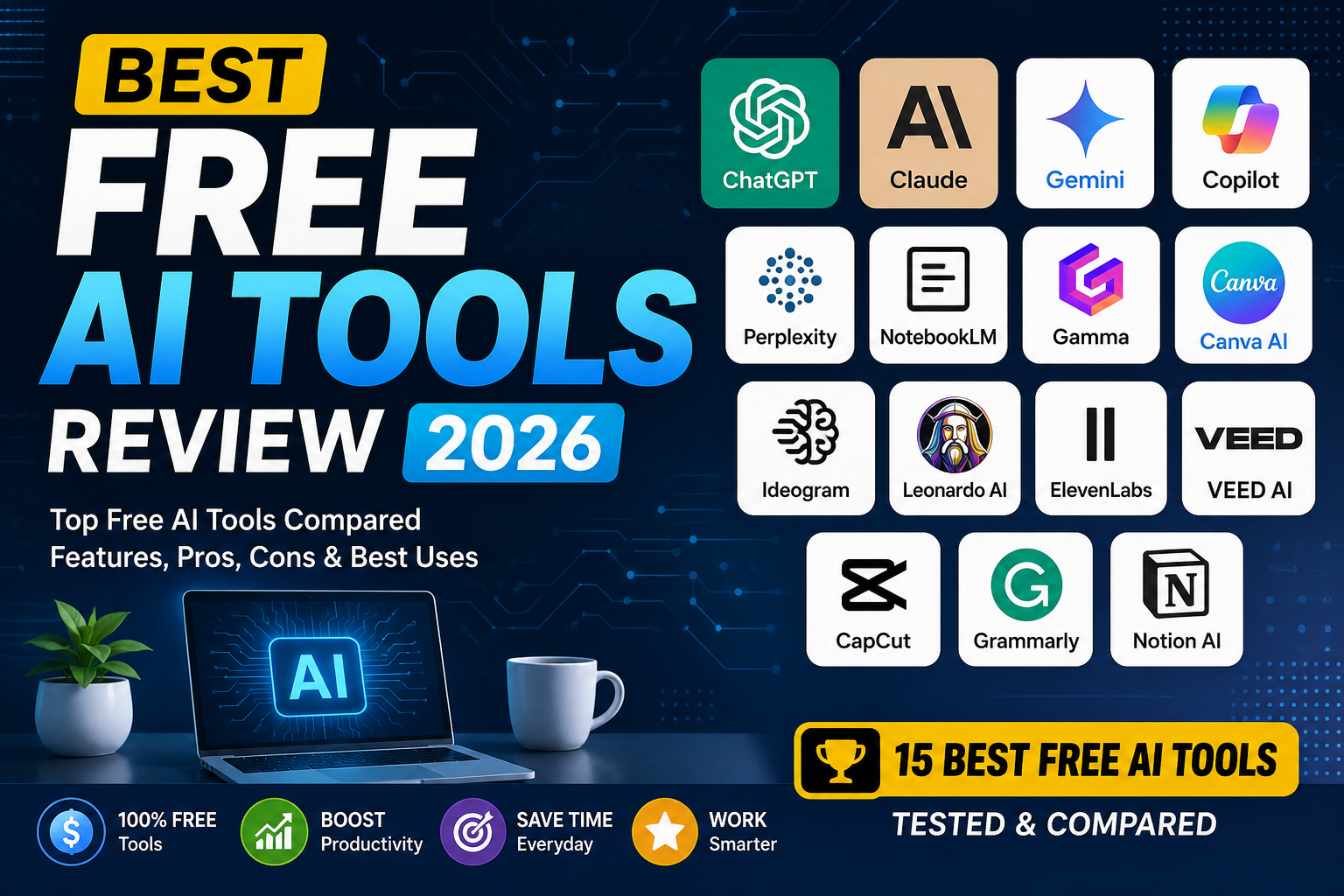
With hundreds of AI platforms available, finding the right one can be difficult. That’s why we’ve created this Free AI Tools Review 2026. We tested the most popular free AI tools based on ease of use, output quality, free plan value, performance, and practical features.
Whether you’re a student, freelancer, content creator, developer, or business owner, this guide will help you choose the best free AI tool for your needs.
In this Free AI Tools Review 2026, you’ll discover the best free AI platforms for writing, coding, research, image generation, presentations, and everyday productivity.
Read more: Best AI Tools for Beginners in 2026
Free AI Tools Review 2026: How We Evaluated These AI Tools
Each AI tool was tested using real-world tasks, including:
- Writing articles
- Researching information
- Creating presentations
- Generating AI images
- Editing content
- Coding assistance
- Summarizing documents
We also evaluated:
- Free plan limitations
- Response quality
- Ease of use
- Performance
- Overall value
1. ChatGPT – Best Overall AI Assistant
ChatGPT is one of the most versatile AI tools available in 2026. It can write articles, answer questions, generate code, summarize documents, translate languages, and brainstorm ideas.
Pros
- Excellent writing quality
- Fast responses
- Beginner-friendly
- Supports multiple tasks
Cons
- Advanced features require a paid plan.
Best For: Writers, students, freelancers, developers
2. Claude – Best for Long-Form Writing
Claude produces natural, detailed writing and performs exceptionally well with long documents, reports, and professional content.
Pros
- Human-like writing
- Excellent reasoning
- Handles large documents
Cons
- Daily free usage limits.
Best For: Bloggers, researchers, professionals
3. Google Gemini – Best for Google Users
Gemini integrates seamlessly with Gmail, Google Docs, Drive, and other Google Workspace apps.
Pros
- Strong Google integration
- Good research capabilities
- Easy to use
Cons
- Some premium Workspace features require payment.
Best For: Students and Google Workspace users
Read More: ChatGPT vs Claude vs Gemini: Which AI is Best in 2026?
4. Microsoft Copilot – Best for Office Productivity
Microsoft Copilot helps users create documents, analyze spreadsheets, build presentations, and improve workplace productivity.
Pros
- Excellent Microsoft Office integration
- Improves workflow
- Saves time
Cons
- Works best within Microsoft’s ecosystem.
Best For: Office professionals and businesses
5. Perplexity AI – Best for Research
Perplexity AI combines AI-powered answers with cited sources, making it ideal for research and fact-checking.
Pros
- Includes source citations
- Fast answers
- Reliable research assistant
Cons
- Some advanced research features are premium.
Best For: Students, researchers, bloggers
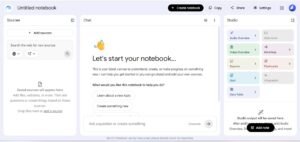
6. NotebookLM – Best for Students
NotebookLM helps users understand uploaded PDFs, notes, and documents. It is an excellent study companion for summarizing content and answering questions.
Pros
- Great for studying
- Accurate summaries
- Easy to use
Cons
- Works mainly with uploaded documents.
Best For: Students and educators
7. Gamma – Best AI Presentation Tool
Gamma creates professional presentations from simple prompts, saving hours of manual work.
Pros
- Attractive designs
- Fast slide generation
- Beginner-friendly
Cons
- Limited free AI credits.
Best For: Students, teachers, professionals
8. Canva AI – Best for Graphic Design
Canva AI combines design tools with AI features, allowing users to create social media graphics, logos, presentations, and marketing materials.
Pros
- Thousands of templates
- Easy drag-and-drop editor
- Excellent free plan
Cons
- Premium assets require Canva Pro.
Best For: Designers, marketers, freelancers
9. Ideogram AI – Best for AI Images with Text
Ideogram AI is an excellent AI image generator that produces high-quality visuals while accurately rendering text inside images. This makes it ideal for posters, logos, banners, social media graphics, and marketing materials.
Pros
- Excellent image quality
- Accurate text generation
- Easy prompt creation
Cons
- Limited free image credits
Best For: Designers and content creators
10. Leonardo AI – Best Free AI Art Generator
Leonardo AI is one of the best free AI art generators in 2026. It creates realistic artwork, illustrations, concept art, and game assets with impressive quality.
Pros
- High-quality AI artwork
- Generous free credits
- Fast image generation
Cons
- Daily credit limits
Best For: Artists, designers, and game developers
11. ElevenLabs – Best AI Voice Generator
ElevenLabs offers realistic AI voice generation for podcasts, YouTube videos, audiobooks, and voiceovers. Its natural-sounding voices make it one of the top free AI voice tools.
Pros
- Natural voice quality
- Multiple language support
- Easy to use
Cons
- Monthly usage limits
Best For: YouTubers, podcasters, and educators
12. VEED AI – Best AI Video Editor
VEED AI helps users edit videos quickly with AI-powered subtitles, script generation, screen recording, and automatic editing features.
Pros
- Beginner-friendly
- Fast editing
- Cloud-based platform
Cons
- Watermark on some free exports
Best For: Video creators and marketers
13. CapCut AI – Best for Social Media Videos
CapCut AI simplifies video creation with automatic captions, AI templates, background removal, and editing tools designed for short-form content.
Pros
- Excellent free features
- Huge template library
- Easy mobile editing
Cons
- Some premium effects require payment
Best For: TikTok, Instagram, and YouTube Shorts creators
14. Grammarly – Best AI Writing Assistant
Grammarly helps improve grammar, spelling, clarity, and tone. It works across browsers and writing platforms, making it an essential productivity tool.
Pros
- Accurate grammar checking
- Easy browser integration
- Improves readability
Cons
- Advanced AI writing tools require Premium
Best For: Students, bloggers, and professionals
15. Notion AI – Best Productivity Tool
Notion AI helps users write content, summarize notes, organize projects, and manage tasks directly inside Notion workspaces.
Pros
- Excellent productivity features
- Great for collaboration
- Clean interface
Cons
- Limited AI features on the free plan
Best For: Teams, businesses, and productivity enthusiasts
Comparison Table
Our Free AI Tools Review 2026 comparison table summarizes the strengths, ratings, and best use cases of every tool.
| AI Tool | Best For | Free Plan | Rating |
|---|---|---|---|
| ChatGPT | Writing & Productivity | ✅ Yes | ⭐⭐⭐⭐⭐ |
| Claude | Long-Form Writing | ✅ Yes | ⭐⭐⭐⭐⭐ |
| Google Gemini | Google Workspace | ✅ Yes | ⭐⭐⭐⭐☆ |
| Microsoft Copilot | Office Work | ✅ Yes | ⭐⭐⭐⭐☆ |
| Perplexity AI | Research | ✅ Yes | ⭐⭐⭐⭐⭐ |
| NotebookLM | Students | ✅ Yes | ⭐⭐⭐⭐⭐ |
| Gamma | Presentations | ✅ Yes | ⭐⭐⭐⭐☆ |
| Canva AI | Graphic Design | ✅ Yes | ⭐⭐⭐⭐☆ |
| Ideogram AI | AI Images | ✅ Yes | ⭐⭐⭐⭐☆ |
| Leonardo AI | AI Art | ✅ Yes | ⭐⭐⭐⭐⭐ |
| ElevenLabs | AI Voice | ✅ Yes | ⭐⭐⭐⭐☆ |
| VEED AI | Video Editing | ✅ Yes | ⭐⭐⭐⭐☆ |
| CapCut AI | Social Media Videos | ✅ Yes | ⭐⭐⭐⭐☆ |
| Grammarly | Writing Assistant | ✅ Yes | ⭐⭐⭐⭐⭐ |
| Notion AI | Productivity | Limited | ⭐⭐⭐⭐☆ |
Free AI Tools Review 2026: Which AI Tool Is Best?
The best AI tool depends on your needs:
- Best Overall: ChatGPT
- Best for Writing: Claude
- Best for Research: Perplexity AI
- Best for Students: NotebookLM
- Best for Presentations: Gamma
- Best for Graphic Design: Canva AI
- Best AI Image Generator: Leonardo AI
- Best AI Voice Tool: ElevenLabs
- Best Video Editor: VEED AI
- Best Productivity Tool: Notion AI
Using multiple AI tools together often delivers the best results. For example, you can research with Perplexity AI, write with ChatGPT, design graphics in Canva AI, and proofread with Grammarly.
Pros and Cons of Free AI Tools
Based on our Free AI Tools Review 2026, these are the biggest advantages and limitations of using free AI software.
Pros
- Free to get started
- Saves time and boosts productivity
- Easy for beginners
- Supports writing, coding, design, and research
- Ideal for students, freelancers, and small businesses
Cons
- Daily usage limits
- Premium features locked
- Limited AI credits
- Watermarks on some tools
- Slower performance during peak hours
Free AI Tools Review 2026 FAQs?
1. What is the best free AI tool in 2026?
ChatGPT is the best all-around AI assistant because it supports writing, coding, brainstorming, research, and productivity.
2. Which AI tool is best for students?
NotebookLM and ChatGPT are excellent choices for studying, summarizing notes, and conducting research.
3. Which free AI tool is best for writing?
Claude is ideal for long-form writing, while ChatGPT is great for everyday content creation.
4. Are free AI tools safe?
Yes, reputable AI platforms are generally safe. However, avoid uploading sensitive or confidential information.
5. Can I use free AI tools for commercial work?
Many tools allow commercial use, but you should always review their official licensing and terms before using AI-generated content in business.
Final Verdict
After testing the leading platforms for this Free AI Tools Review 2026, we found that each tool excels in a different area. ChatGPT remains the best all-around AI assistant, Claude delivers exceptional long-form writing, Perplexity AI is ideal for research, NotebookLM supports students with document-based learning, and Leonardo AI stands out for AI-generated artwork. After completing this Free AI Tools Review 2026, we found that each AI platform offers unique strengths depending on your workflow and requirements.
Instead of relying on just one platform, consider combining tools based on your workflow. For example, use Perplexity AI for research, ChatGPT for writing, Canva AI for design, and Grammarly for proofreading. This combination can significantly improve your productivity without requiring expensive subscriptions.
As AI technology continues to evolve, free plans are becoming increasingly powerful. Whether you’re a student, freelancer, content creator, or business owner, these free AI tools can help you save time, improve efficiency, and produce better results in 2026.
For more info please visit toolfluxai.com
About The Author