


AI Note-Taking Tools for Students can be a real time-saver when a lecture moves faster than your handwriting. If you’ve ever left a class with half-finished notes, random screenshots, and a feeling that you missed the most important explanation, you already know the problem.
The good news is that you don’t have to choose between listening carefully and writing everything down. AI-powered note-taking apps can record or transcribe lectures, pull out the main ideas, and turn a long conversation into notes that are easier to review later.
That doesn’t mean AI should take over your studying. A generated summary isn’t a substitute for understanding the topic yourself. But when AI handles the repetitive part of note-taking, you have more time to concentrate on what your professor is actually explaining.
For students who attend several lectures every week, AI Note-Taking Tools for Students can make the entire review process much easier.
In this guide, we’ll look at some of the best AI note-taking tools for students in 2026, what they’re genuinely useful for, where they fall short, and how you can fit them into a normal study routine.
If you’re looking for more useful AI tools for studying, check out our guide to AI Tools for Students.
What Are AI Note-Taking Tools for Students?
Think about what happens during a typical lecture. This is one of the main reasons AI Note-Taking Tools for Students have become useful for modern study routines.
Your professor explains a concept, gives an example, moves to another topic, and suddenly you’re trying to catch up with three lines of notes while the next slide is already on the screen.
AI note-taking tools are designed to reduce that pressure.
Depending on the app, you can record a lecture, upload an audio file, provide a document, or work with existing notes. The AI then processes the information and can produce a transcript, summary, list of important points, or other study material.
A basic notes app gives you a blank page. An AI note-taking tool can actually do some of the organizing for you.
What Can AI Note-Taking Tools Do?
The features vary, but common capabilities include:
- Transcribing spoken lectures
- Summarizing long recordings
- Finding important topics and key points
- Organizing information into sections
- Searching through transcripts
- Summarizing PDFs and documents
- Generating questions from notes
- Creating revision material
- Turning information into flashcards or quizzes
You don’t necessarily need all of these features. If you mainly attend in-person lectures, transcription may matter most. If you spend hours reading PDFs, a source-based AI tool could be more useful.
Why Are Students Using AI for Note-Taking?
The biggest reason is simple: writing everything down is hard while you’re trying to understand something at the same time.
Imagine a professor spends ten minutes explaining a difficult programming concept. You could spend those ten minutes copying sentences from the slides, or you could listen to the explanation and write down only the parts that make sense to you.
An AI transcript can act as a backup.
You Can Focus More on the Lecture
Instead of trying to capture every sentence, you can pay closer attention to the explanation.
You can still write your own notes, but you don’t have to panic when you miss a sentence.
Long Lectures Become Easier to Review
A 60-minute recording can be annoying to revisit when exams are approaching.
A searchable transcript and a summary give you a starting point. You can quickly see what was discussed and then go back to the original recording when you need more detail.
Your Notes Don’t Have to Stay Messy
Students often have notes spread across notebooks, Google Docs, screenshots, PDFs, and messaging apps.
AI tools can help turn some of that information into a more consistent digital format.
You Can Turn One Lecture Into Several Study Resources
This is where AI becomes more interesting than ordinary transcription.
A lecture summary can be turned into:
- Flashcards
- Practice questions
- A revision sheet
- Key definitions
- Topic summaries
- A short quiz
So the lecture doesn’t just become “notes.” It becomes material you can actually use while preparing for an exam.
You can also use AI for other academic tasks, including homework and assignments.
10 Best AI Note-Taking Tools for Students in 2026
There isn’t one perfect app for everyone. Some tools are excellent at transcription, while others are better when you already have PDFs, slides, or written notes.
Here are ten options worth looking at.
1. Notta – A Strong All-Around Choice
For students who want both transcription and summaries, AI Note-Taking Tools for Students like Notta can be a practical starting point. If your biggest problem is keeping up with spoken lectures, Notta is worth checking out. You can learn more about Notta and its current features on the official Notta website.
It focuses heavily on transcription, which means you can turn spoken content into searchable text and then work with that information later.
For example, instead of trying to remember where your professor explained a particular topic three weeks ago, you can search through the transcript.
Useful features
- Audio recording
- Speech-to-text transcription
- AI summaries
- Searchable transcripts
- Speaker identification
- Multiple-language support
What I like about it
The workflow is fairly straightforward. Record or import the content, let the tool process it, and use the resulting transcript or summary when you study.
What to keep in mind
Free usage is limited, and students who record lectures frequently may eventually need a paid plan.
Good choice for: Students who want transcription and summaries in the same workflow.
2. Otter.ai – Great for Lecture Transcripts
Otter.ai is one of the better-known transcription tools, and its use case for students is easy to understand.
If you have a lecture, discussion, interview, or study session that you want to revisit later, having a searchable transcript can save a lot of time.
You don’t have to listen to an entire recording just to find one explanation.
Useful features
- Live transcription
- Speaker identification
- Searchable transcripts
- AI-generated summaries
- Audio recording
Where it works well
It’s especially useful when spoken information is the main thing you need to capture.
One limitation
Transcription isn’t perfect. Background noise, unusual terminology, or unclear audio can lead to mistakes, so important information should always be checked against the original lecture.
Good choice for: Students who mainly want reliable lecture transcription.
3. NotebookLM – Excellent for PDFs and Course Materials
NotebookLM is different from a typical lecture recorder.
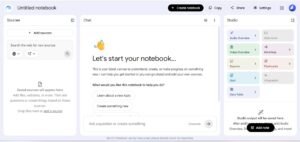
It’s particularly useful when you already have material you need to understand: lecture slides, PDFs, documents, notes, or other sources.
You can give it your material and use AI to explore what’s inside those sources.
For a student working through a 70-page reading before an exam, that can be much more useful than simply having another place to type notes.
What makes it useful
- Summarizing supplied sources
- Asking questions about your materials
- Finding important ideas
- Creating study-oriented summaries
- Working with multiple sources
The main advantage
The AI works around the material you provide, which makes it useful for source-based studying.
The limitation
It’s not primarily a live lecture transcription app. If your main requirement is recording every classroom lecture, a dedicated transcription tool may make more sense.
Good choice for: Students who study heavily from PDFs, slides, and other course materials.
4. Fireflies.ai – Useful for Recorded Discussions
Fireflies.ai is primarily known as an AI transcription and meeting assistant, but some of its capabilities can also make sense for students.
If you regularly participate in online study groups, recorded discussions, interviews, or other spoken sessions, automatic transcription can make those conversations easier to revisit.
What it can help with
- Transcription
- Summaries
- Searching conversations
- Finding key points
- Organizing recorded information
The downside is that many of its features are designed with professional meetings in mind. A student who only needs basic lecture notes may find it more than necessary.
Good choice for: Students who work with lots of recorded discussions or online sessions.
5. Fathom – Simple AI Summaries
Fathom is another tool that focuses on transcription and AI-generated summaries.
Its appeal is simplicity. If you don’t want to spend hours setting up a complicated note-taking system, a straightforward workflow can be refreshing.
It’s worth remembering, though, that Fathom is primarily built around meetings and conversations rather than university classrooms.
Good choice for: Students who want simple transcription and summaries for online discussions or sessions.
6. OneNote with Copilot – Convenient for Microsoft Users
If your university already uses Microsoft 365, you may not need to build an entirely separate note-taking setup.
OneNote gives you a familiar digital notebook structure, and Microsoft’s AI features can assist with working with notes and summarizing information depending on your available plan.
This can be particularly convenient if your assignments, documents, and class notes already live inside Microsoft’s ecosystem.
Why students may like it
You can keep different subjects in separate notebooks and combine notes with other course materials.
The downside
The AI features available to you depend on your Microsoft subscription, so the experience isn’t identical for every student.
Learn more about OneNote on the official Microsoft website.
Good choice for: Students who already use Microsoft 365 regularly.
7. Evernote – Good for Keeping Study Material Together
Evernote has been around for years, so its main strength is organization.
If your student life involves lecture notes, screenshots, PDFs, web clips, and other pieces of information, having a central place to store everything can be helpful.
Its AI-related features can add another layer of assistance for searching and working with your notes.
It’s probably not the first tool I’d choose if live lecture transcription is your only goal. But as a broader note-management system, it can make sense.
Good choice for: Students who want one organized home for different types of study material.
8. Mem – Interesting for Long-Term Knowledge Building
Some students don’t just want to take notes for tomorrow’s exam. They want to build a personal knowledge library that they can use throughout university.
That’s where Mem becomes interesting.
Instead of relying entirely on manually created folders and categories, it uses AI to help with finding and connecting information.
This can be useful if you have years of notes and want to retrieve an old idea without remembering exactly where you stored it.
Good choice for: Students interested in long-term knowledge management.
9. Notion AI – Best for Students Who Like Organized Workspaces
Notion is already popular with students because it can handle much more than notes.
You can use it for class notes, assignment tracking, project planning, calendars, databases, and study schedules. Adding AI features makes it possible to summarize information and work with notes without leaving the same workspace.
For example, you could create a page for each subject, keep lecture notes there, and maintain your assignment deadlines beside them.
Why it stands out
The flexibility is the biggest advantage.
The downside
That flexibility can also be its biggest weakness. If you’re new to Notion, it can take some time to figure out how you want your workspace organized.
Good choice for: Students who want notes, planning, and organization in one place.
10. Google Gemini – Useful Beyond Note-Taking
Gemini isn’t a dedicated lecture note-taking app, but that doesn’t make it irrelevant for students.
It can help summarize information, explain difficult concepts, brainstorm ideas, and work with study material.
Think of it more as a general AI study assistant than a specialized transcription tool.
If you already use Google’s ecosystem and want an AI tool that can help with several different academic tasks, it’s worth considering.
Good choice for: Students who want one flexible AI assistant for more than just notes.
Best AI Note-Taking Tools for Students Compared
| Tool | Best For | Transcription | AI Summaries | Free Option |
|---|---|---|---|---|
| Notta | Overall note-taking | Yes | Yes | Limited |
| Otter.ai | Lecture transcription | Yes | Yes | Limited |
| NotebookLM | PDFs and study sources | No | Yes | Available |
| Fireflies.ai | Recorded discussions | Yes | Yes | Limited |
| Fathom | Simple summaries | Yes | Yes | Available |
| OneNote + Copilot | Microsoft users | Depends | Yes | Depends |
| Evernote | Note organization | Depends | Yes | Limited |
| Mem | Knowledge management | No | Yes | Limited |
| Notion AI | Notes and planning | Depends | Yes | Limited |
| Gemini | General study help | Depends | Yes | Available |
How Do AI Note-Taking Tools Actually Work?
The process is usually easier than it sounds.
First, you give the tool something to work with. That could be a live recording, an uploaded audio file, a PDF, or an existing document.
The AI then processes the information.
For a lecture, speech recognition converts the audio into text. The AI can then identify topics, summarize sections, and pull out information that looks important.
You get a shorter, more organized version of the original material.
But there is one step you shouldn’t skip: your own review.
AI-generated notes are useful because they save time. They aren’t useful if you blindly trust every sentence they produce.
How to Use AI Note-Taking Tools Effectively
Getting the most from AI Note-Taking Tools for Students depends more on your workflow than simply choosing an app.
Don’t Try to Capture Everything Yourself
If you’re using an approved recording tool, let it capture the full lecture and focus your handwritten or typed notes on things you personally find confusing or important.
That way, your own notes add value instead of simply copying the lecture.
Give the AI a Specific Task
“Summarize this” is okay, but a more specific request can produce something much more useful.
For example:
Summarize this lecture into key concepts, definitions, examples, difficult topics, and five possible exam questions.
Now the output has a purpose.
Check the Notes While the Lecture Is Fresh
Don’t wait three weeks before opening the transcript.
Spend five or ten minutes after class checking the summary. Correct anything that looks wrong and add anything the AI missed.
That small habit can make the notes much more useful later.
Keep Your Own Understanding in the Loop
If your professor explains something using a particular example, write down why that example helped you understand the concept.
An AI summary may capture the topic but miss the personal connection that makes it memorable.
Best Free AI Note-Taking Tools for Students
Testing free versions first is a simple way to find the right AI Note-Taking Tools for Students without committing to a subscription. You don’t necessarily need to pay for an AI subscription just to experiment with AI note-taking.
Depending on your needs, students can explore tools such as NotebookLM, Gemini, and the free tiers offered by services like Otter.ai and Notta.
Free plans are usually enough for occasional use.
The situation changes if you’re recording several long lectures every week. Transcription limits, storage restrictions, and premium AI features can become frustrating pretty quickly.
Before paying, I’d suggest using the free version for a few days and seeing whether it actually fits your study routine.
Which AI Note-Taking Tool Is Best for Different Students?
There’s a useful distinction here: the best tool depends on what you’re trying to solve.
If You Miss Parts of Lectures
Try a transcription-focused tool such as Otter.ai or Notta.
If You Study From PDFs
NotebookLM is a more natural fit.
If You Want Notes and Assignment Planning Together
Notion AI can make sense.
If Your University Uses Microsoft 365
OneNote may be the easiest option because you don’t have to change your entire workflow.
If You’re Doing Lots of Research
A source-focused tool such as NotebookLM or a knowledge-management system such as Mem may be more useful than a simple transcription app.
AI Note-Taking vs. Traditional Note-Taking
Used correctly, AI Note-Taking Tools for Students can complement traditional note-taking instead of completely replacing it. AI doesn’t necessarily have to replace the way you already take notes.
| Factor | AI Note-Taking | Traditional Note-Taking |
|---|---|---|
| Speed | Faster | Slower |
| Organization | Often automatic | Mostly manual |
| Search | Usually easy | Depends on your system |
| Personal understanding | Requires review | More directly involved |
| Capturing the full lecture | Easier | Difficult |
| Accuracy | Needs checking | Controlled by you |
Personally, I wouldn’t treat this as an either/or decision.
Use AI for the parts that are repetitive. Use your own notes for the things you genuinely need to understand.
That combination gives you the convenience of AI without turning your studying into passive reading.
Are AI Note-Taking Tools Accurate?
Not always.
A quiet lecture recorded with a good microphone may produce a very good transcript. A noisy classroom with students talking in the background is a completely different situation.
Technical subjects can also cause problems.
A transcription system might turn a programming term, scientific word, or unfamiliar name into something that sounds reasonable but is completely wrong.
So before using AI-generated notes to prepare for an exam, check important details against your lecture slides, textbook, or original recording.
Pay particular attention to:
- Formulas
- Definitions
- Dates
- Names
- Technical terminology
- Statistics
- Instructions from your professor
AI can save you time, but checking the result is still your job.
Privacy and Academic Rules Students Should Consider
There’s another issue that’s easy to overlook: recording a class isn’t automatically allowed just because your phone or AI app can do it.
Before recording, check your instructor’s rules and your university’s policies.
You should also think about what you’re uploading to an AI service. If lecture materials contain private information, unpublished research, or other sensitive content, don’t upload them casually.
And remember that using AI to organize notes is very different from using AI to produce work you’re expected to complete yourself.
Your university may have specific rules around AI-assisted assignments, exams, and research. Follow those rules.
Turn AI Notes Into Better Study Materials
This is probably where AI note-taking becomes most useful.
Once you have a clean set of notes, you can reuse them.
Create Flashcards
Ask AI to turn definitions and important concepts into question-and-answer cards.
Make a Practice Quiz
Instead of rereading the same notes five times, generate ten or twenty questions and see what you actually remember.
Build an Exam Review Sheet
Combine notes from several lectures and ask for a concise revision guide organized by topic.
Find Weak Areas
Ask the AI to identify topics that seem important but aren’t explained clearly in your notes. Then return to your textbook or professor’s material.
Create Different Levels of Summaries
You could have:
- A one-paragraph overview
- A one-page revision sheet
- Detailed notes
- Practice questions
The same lecture can therefore support different stages of studying.
Common Mistakes Students Make With AI Note-Taking
Trusting Every AI-Generated Sentence
This is probably the biggest mistake.
A polished-looking summary can still contain an incorrect detail.
Recording Without Permission
Always check classroom and university rules before recording.
Treating Summaries as a Replacement for Learning
Reading a five-minute summary of a one-hour lecture doesn’t mean you’ve mastered the material.
Installing Too Many Tools
You don’t need a separate AI app for every subject.
Start with one tool, learn its strengths and limitations, and build a routine around it.
Ignoring Your Original Course Material
AI notes should support your textbook, slides, assignments, and lectures—not replace them.
Using AI When You Should Be Thinking Yourself
If you’re struggling with a concept, don’t immediately ask AI for the answer.
Try to understand the problem first. Then use AI to explain the part you’re stuck on.
That approach is much more useful for actual learning.
Frequently Asked Questions
What are the best AI note-taking tools for students?
It depends on the job. Notta and Otter.ai are useful for lecture transcription, while NotebookLM is especially helpful for studying PDFs and other course materials. Notion AI is a strong option if you also want planning and organization.
What is the best free AI note-taking tool for students?
NotebookLM and Gemini are useful starting points for students who want free AI-powered study assistance. Otter.ai and Notta can also be worth testing if transcription is your main requirement.
Can AI take notes from a lecture?
Yes. Some AI tools can record or process lecture audio, create a transcript, and produce a summary. Always make sure recording is permitted before using such a feature.
Can AI summarize university lectures?
Yes. AI can summarize a lecture transcript or recording into key topics, concepts, examples, and other points. The result should still be checked for accuracy.
Is NotebookLM good for students?
Yes. It’s particularly useful when your study materials include PDFs, lecture slides, documents, and other sources that you want to understand or compare.
Is Otter.ai good for lecture notes?
It can be a good choice if your main requirement is turning spoken lectures into searchable text. Students should still review the transcript because transcription errors can occur.
Can AI turn lecture recordings into notes?
Yes. Transcription-focused tools can turn audio into text and then generate shorter summaries or organized notes.
Are AI note-taking tools safe for students?
They can be useful, but safety depends on how the service handles your data and how you use it. Check privacy policies, avoid sharing unnecessary sensitive information, and follow your university’s recording rules.
Final Verdict
There is no single winner when it comes to AI Note-Taking Tools for Students.
If your biggest headache is keeping up with spoken lectures, Notta or Otter.ai may be the most practical starting points. If most of your studying happens inside PDFs, lecture slides, and reading materials, NotebookLM is more appealing. Students who want a complete workspace for notes, assignments, and planning may prefer Notion AI, while Microsoft users may find OneNote more convenient.
The important thing is not to choose the tool with the longest feature list.
Choose the one that solves your actual problem.
If you’re constantly missing information during lectures, start with transcription. If your notes are scattered everywhere, focus on organization. If your biggest problem is understanding large amounts of reading, choose a tool that works well with documents and sources.
And most importantly, don’t let AI turn studying into passive reading.
Let it handle the boring parts—transcription, sorting, summarizing, and formatting—while you spend your time understanding the material.
That’s where AI note-taking tools for students are genuinely useful: not by doing the learning for you, but by giving you more time to do the learning yourself.
About The Author